> For the complete documentation index, see [llms.txt](https://docs.nf.domains/llms.txt). Markdown versions of documentation pages are available by appending `.md` to page URLs; this page is available as [Markdown](https://docs.nf.domains/platform/manage/smart-contract.md).
# Smart Contract
### NFD Versions
NFDs are currently on `Version 3.7` (V3) of the [NFD Registry contract](/smart-contracts/resolving-nfds/nfd-registry.md).
There were major changes between V1 and V2, as well as V2 and V3.
Prior to `Version 1.16`, NFDs didn't have Segments.
Prior to `Version 2.11`, NFDs didn't have Vaults.
`Version 2.12` was needed to allow V2 NFDs to mint Segments with renewals.
Any NFD prior to `Version 3.01` is considered a legacy NFD, meaning it doesn't have renewal fees. If a V2 NFD is upgraded to V3, the NFD owner will need to start paying renewal fees. The NFD protocol will never force V1 / V2 owners to upgrade to V3.
***
### Upgradable Smart Contracts
NFDs are upgradable and NFDomains takes full-advantage of this as Algorand releases new features. NFDomains pushes updates along with update notes on what has been changed and why.
#### Upgrading your NFDs Smart Contract
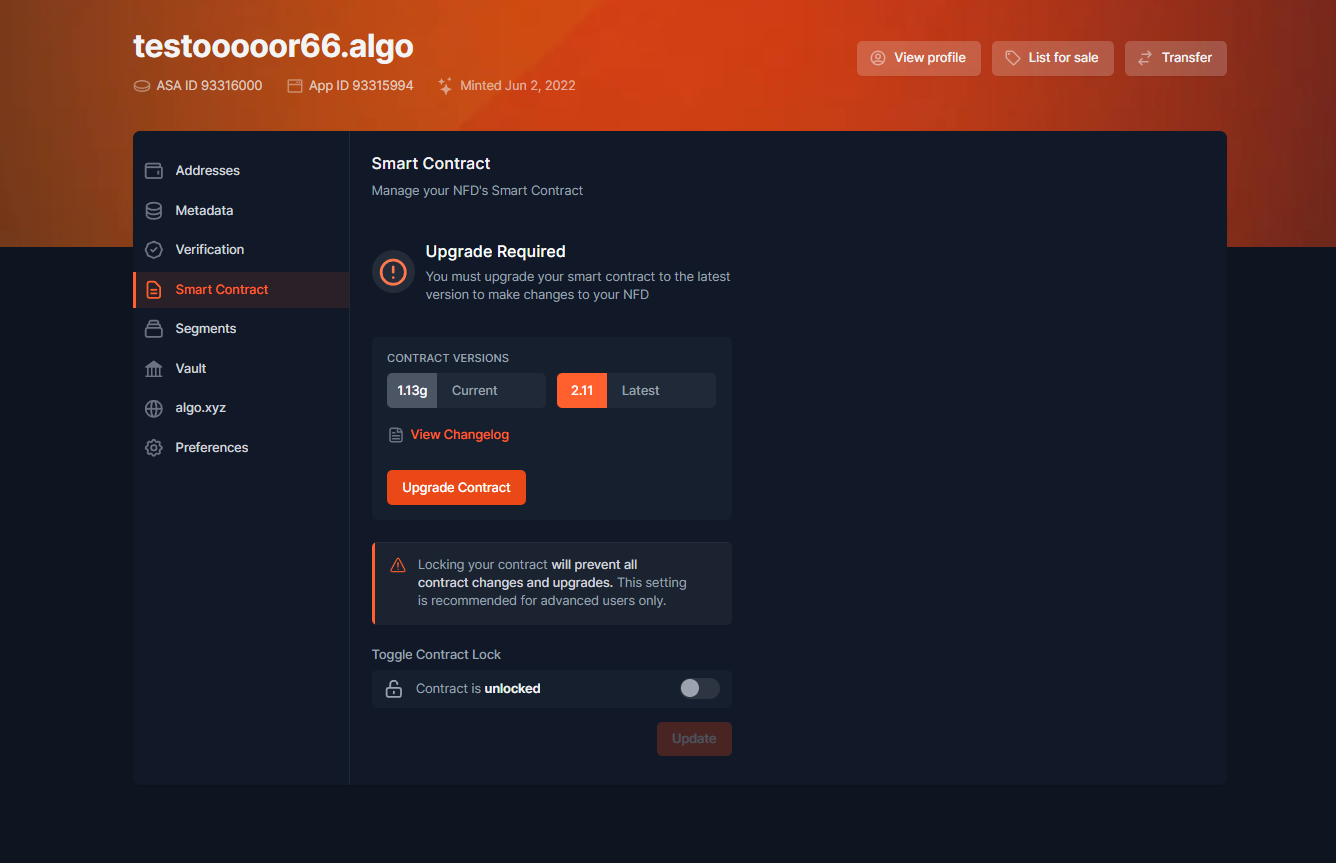
To upgrade your smart contract, navigate to an owned NFD -> *Edit* -> *Smart Contract* -> *Upgrade Contract*.
Edit -> Smart Contract
***
### Lock / Unlock Smart Contract
To allow maximum user control, users can toggle between locking and unlocking their NFD to upgrades. If you lock your contract, your NFD cannot be upgraded until you unlock it.
***