# The NFD Protocol

### What is NFDomains?

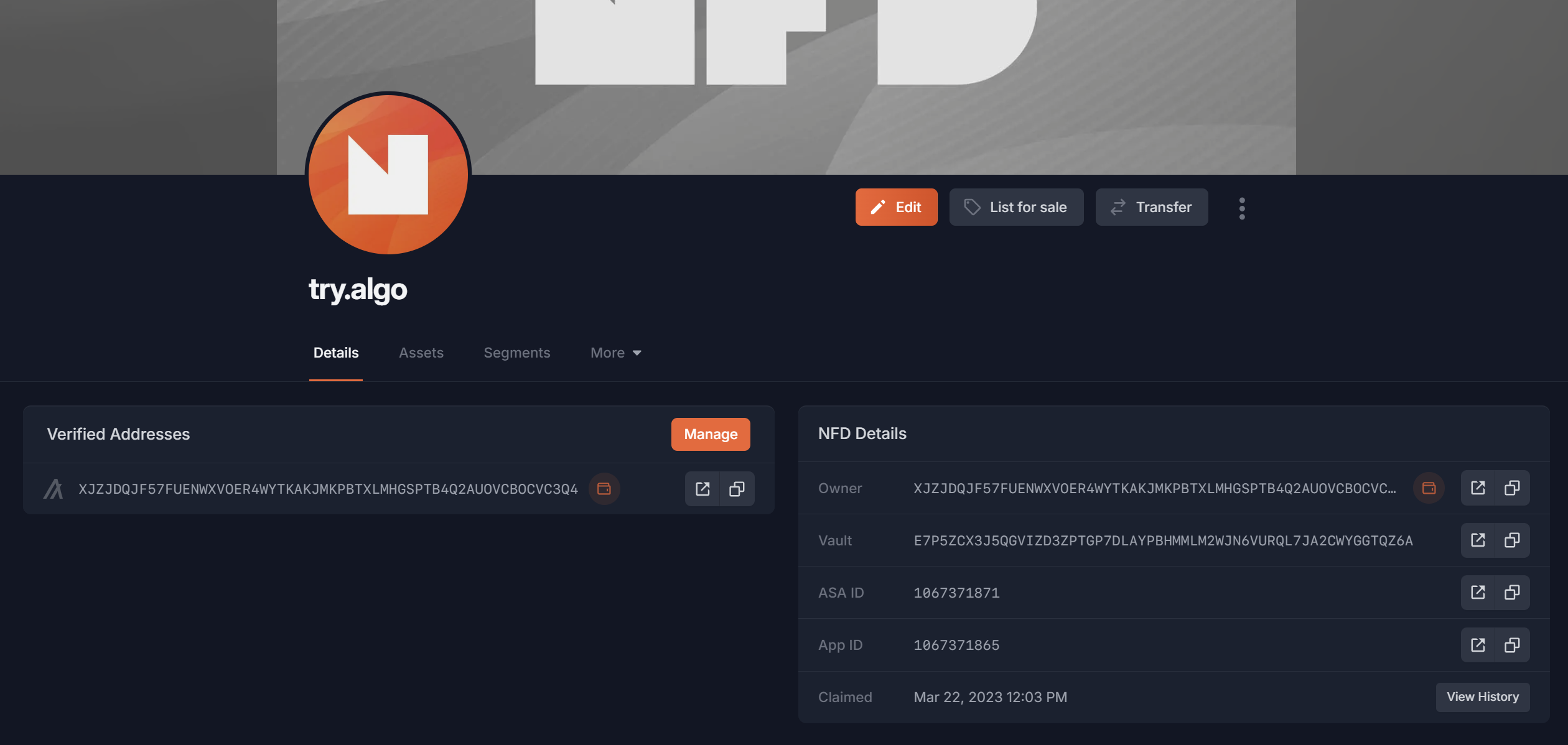
Non-fungible domains (NFDs) are unique, digital identities built on Algorand. Unlike traditional DNS domains which are used to identify and locate resources on the internet, NFDomains are used to identify and locate resources on the Algorand blockchain and elsewhere. Users can link any data they want to an NFD, with the ability to verify certain records like their Twitter, Discord, Bluesky, Telegram, email, and more.\
\
`staci.algo` ➡️ `DC7K77...EK3Qv`

The [NFD registry contract](/smart-contracts/resolving-nfds/nfd-registry) is the permissionless registrar for the `.algo` TLD. The contract allows for trustless and decentralized minting of unique NFDs, with ownership secured and verified by the Algorand blockchain.

***

### app.nf.domains

Users can register and manage their NFDs through the [nf.domains](http://app.nf.domains) web interface.

Users can also interact directly with the contracts to mint and manage NFDS - see the [Smart Contracts](/smart-contracts/resolving-nfds) section.

***

### Resolution

One of the key utilities of an NFD is its ability to perform forward and reverse resolution.

#### Forward Resolution

Forward Resolution is the process of converting a name into an address, along with loading any associated records tied to that name. These metadata records may include a profile picture, Discord, Twitter, Telegram, GitHub, email, and more.

Example:

`staci.algo`

➡️

`Algo Address: DC7K77...EK3Q`

`BTC Address: jk2h3...yu23`

`Twitter: @staciwarden`

`Discord: staci#2493`

Integrating forward resolution into an application can be as simple as a few lines of code! For more details on how to implement forward resolution, see the [Address Resolution](/smart-contracts/resolving-nfds) documentation.

#### Reverse Resolution

Reverse Resolution is the process of converting an address into a human-readable name. This is a crucial feature of the NFD system, as it allows any address to be easily identified by its associated name. Rather than displaying long, confusing addresses, you can show the names of the users behind them.

Example:

`DC7K77...EK3Q`

➡️

`staci.algo`

Implementing reverse resolution in an application can also be achieved with just a few lines of code! To learn more about how to implement reverse resolution, check out the [Address Resolution ](/smart-contracts/resolving-nfds)documentation.

***

### Segments

Segments (subdomains) can be minted from any root domain, given the root domain owner allows it. Root owners have the ability to open minting and set a price for their segments. They can also lock their domains to prevent anyone from minting a segment from it.

{% hint style="info" %}
[Learn more about Segments!](/platform/segments-subdomains)
{% endhint %}

***

###


# Why Own an NFD?

### **Simplify transactions**

Simplify transactions with human-readable names like *staci.algo* instead of long, complex wallet addresses. Users are far less likely to make errors when sending crypto to an NFD than to a traditional 58-character address. Non-Fungible Domains (NFDs) are integrated across all major Algorand wallets, explorers, and dApps, making sending and receiving crypto easier, faster, and more transparent.

`staci.algo` ➡️ `Algo Address: DC7K77...EK3Q`

***

### **Self-sovereign identity**

Your entire digital identity—linked wallets, assets owned, assets created, social links, bio, DIDs—unified in one profile that follows you across the ecosystem. Say goodbye to creating a new profile for every site and hello to seamless, portable identity.

<figure><img src="/files/Ypeawj5UTRIFfWeEMThK" alt=""><figcaption><p>Sample Profile</p></figcaption></figure>

***

### **On-chain and off-chain verifications**

You can optionally verify your Discord, Twitter, Telegram, Bluesky, Github, email, and domain, enabling you to establish credibility and trust across various platforms. This allows you to carry your off-chain reputation on-chain & vice versa, building a strong and cohesive digital identity.

<figure><img src="/files/qnPo0cMtGKWGXKnSuRj6" alt=""><figcaption><p>Every Verification Possible</p></figcaption></figure>

***

### **Native DNS — your NFD is a real domain**

Your NFD isn’t just a name — it’s a fully functional domain powered by native DNS. Through the `.algo.xyz` TLD, names like `app.algo` become `app.algo.xyz` and are accessible from any browser, email client, or DNS-aware application worldwide.

**What you can do with NFD DNS:**

* **Host a website** — Point your NFD to a web server, Vercel, Netlify, or any hosting provider with A, AAAA, and CNAME records.
* **Receive email** — Configure MX records to use Gmail, ProtonMail, or any email provider at your NFD.
* **Secure with SSL** — Use CAA records to control which Certificate Authorities can issue certificates for your domain.
* **Verify ownership** — Add TXT records for Google, Bluesky, SPF, DMARC, and other verification systems.
* **Custom redirects** — Each NFD gets its own `.algo.xyz` URL that defaults to your profile page and can be set to redirect anywhere.

All DNS records are stored on-chain in your NFD’s smart contract, giving you self-custodial, cryptographically enforced control — no third-party registrar required. Record changes are signed transactions, and advanced setups like multisig or DAO-controlled domains are fully supported. The DNS resolver itself is [open-source](https://github.com/TxnLab/nfd-coredns), so anyone can run their own.

Learn more in the [Native DNS for NFDs](/platform/manage/native-dns-for-nfds) documentation.

***

### **Empowering collectors and creators**

Multiple wallets can be linked to a single NFD enabling creators to connect all of their works under a single profile. Collectors or creators can advertise their listings on their 'for sale' page, which aggregates listings across all major NFT marketplaces.

<figure><img src="/files/IRlWXLxSVsWqOPNGLFZN" alt=""><figcaption><p>For Sale Page (cinthia.algo)</p></figcaption></figure>

***

### **Suite of integrations**

NFDs are built into the Algorand ecosystem with 60+ unique [integrations](/resources/integrations), including [Pera](https://perawallet.app/), [Defly](https://defly.app/), [Allo](https://allo.info/), [Folks Finance](https://folks.finance/), and many more.

<figure><img src="/files/OXpy6NjrKYQnKXesmqRj" alt=""><figcaption><p>Viewing an NFD in Allo (explorer)</p></figcaption></figure>

***

### **Multi-chain compatible**

NFDs are multi-chain! Any integrator wishing to add support for NFDs can read NFD data from an Algorand node or our public API. You could use your NFD on Solana or Ethereum if the platform supported it!

<figure><img src="/files/BFLYzoPeRrNLqdMEuplr" alt=""><figcaption><p>Add Addresses For Up To 15 Chains</p></figcaption></figure>

***

### **Built on** [**Algorand**](https://www.algorand.foundation/)

NFDs are built on Algorand, one of the fastest and most efficient blockchains. Whether you're updating your avatar or adding a new address, every on-chain interaction completes in seconds with ultra-low transaction fees, giving you a smooth and reliable experience.

<figure><img src="/files/Hn36bDj3SMrHFkty5mup" alt=""><figcaption><p>According to <a href="https://chainspect.app/chain/algorand">Chainspect</a></p></figcaption></figure>

***


# Mint

### Mint Overview

On the *Mint* tab, search for any name you'd like to register.

The NFD must be an alphanumeric containing letters `A-Z` and / or numbers `0-9`, no special characters are allowed.

You can browse the [marketplace](/platform/marketplace) for NFDs that were registered and listed for sale.

***

### Pricing

The NFD registry charges a yearly fee for name registrations. This fee is paid in ALGO, but denominated in USD. These fees fund the development of NFDomains and prevent the speculative registering of names (domain-squatting).

| Characters                                | Price Per Year      |
| ----------------------------------------- | ------------------- |
| [Segments](/platform/segments-subdomains) | $5 + Root Owner Fee |
| 5+                                        | $6                  |
| 4                                         | $12                 |
| 3                                         | $30                 |
| 2                                         | $90                 |
| 1                                         | $315                |

***

#### Carry Cost

Every NFD has a carry cost of `~2.5 ALGO` which is paid once upon minting a new NFD. These fees are for storage and other on-chain costs.

***

### Inflation Schedule & Maximum Registration Time

The protocol has a built in inflation parameter set to `2%` per year. The date for the first price hike is 1 year from V3 launch, `September 02, 2025`.

The protocol has a cap of `20` years that an NFD can be registered for.

***


# Manage

### Manage Page

The Manage tab allows you to see all of your NFDs (owned, for sale, and reserved), as well as renewal dates, expirations, sales history, and [offers](/platform/marketplace#offers).

<figure><img src="/files/F35ZnYIM7TnqJ0CoF0Z9" alt=""><figcaption><p>Manage Page</p></figcaption></figure>

***

### Transfer an NFD

Since NFDs are smart contracts, wallets like Pera and Defly don't yet support transferring them like ASAs. Users can use the transfer feature on app.nf.domains.

To transfer an NFD, navigate to an NFDs profile page and select *transfer.*

<figure><img src="/files/5Iy2FvpDsUsQ8ILt6zpY" alt=""><figcaption><p>Transfer in the Upper Right</p></figcaption></figure>

Enter the NFD or wallet address that you want to transfer to and select *transfer.*

If you toggle *Give NFD as a Gift* you will transfer 1.108 ALGO to the recipient to cover the cost of claiming.

The recipient can claim the NFD in their [Reserved ](/platform/marketplace#offers-and-reserved)tab (located on the Manage page).

<figure><img src="/files/yUpJSmgQJXMqujsLbYFp" alt=""><figcaption><p>Transfer Modal</p></figcaption></figure>

{% hint style="warning" %}
Any assets in the NFDs vault will be transferred with the NFD! Make sure to check your vault contents prior to transferring!
{% endhint %}

{% hint style="warning" %}
Transferring an NFD clears all the NFDs metadata, including all verified fields!
{% endhint %}

***


# Setting Metadata Records

## Setting Metadata Records

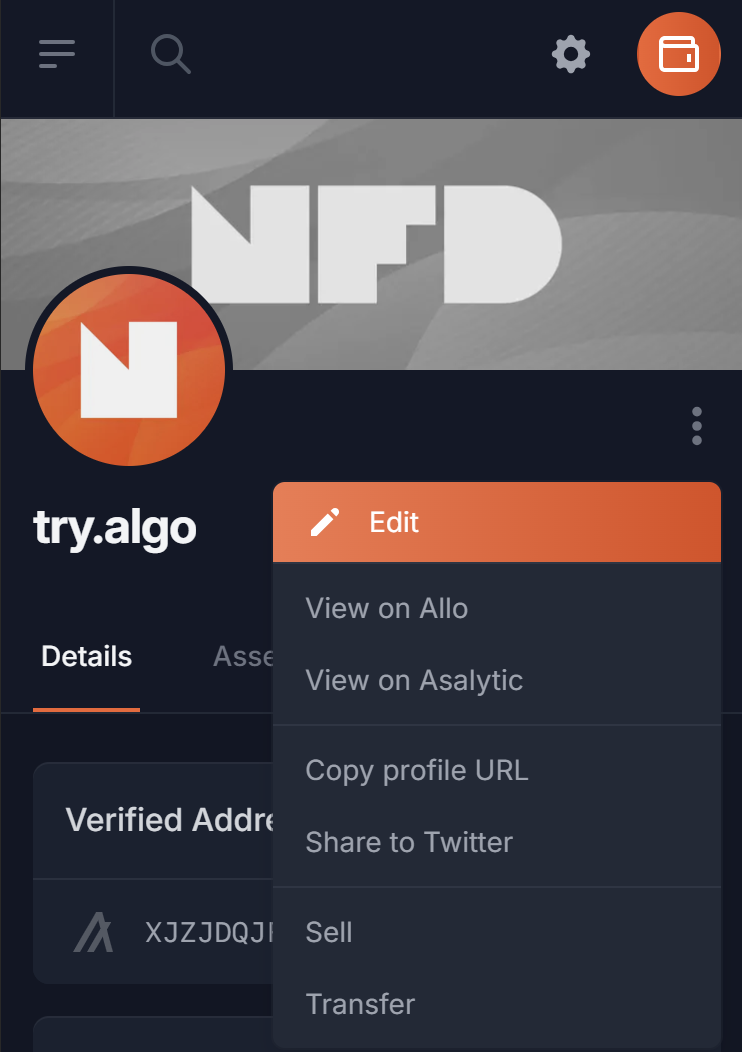
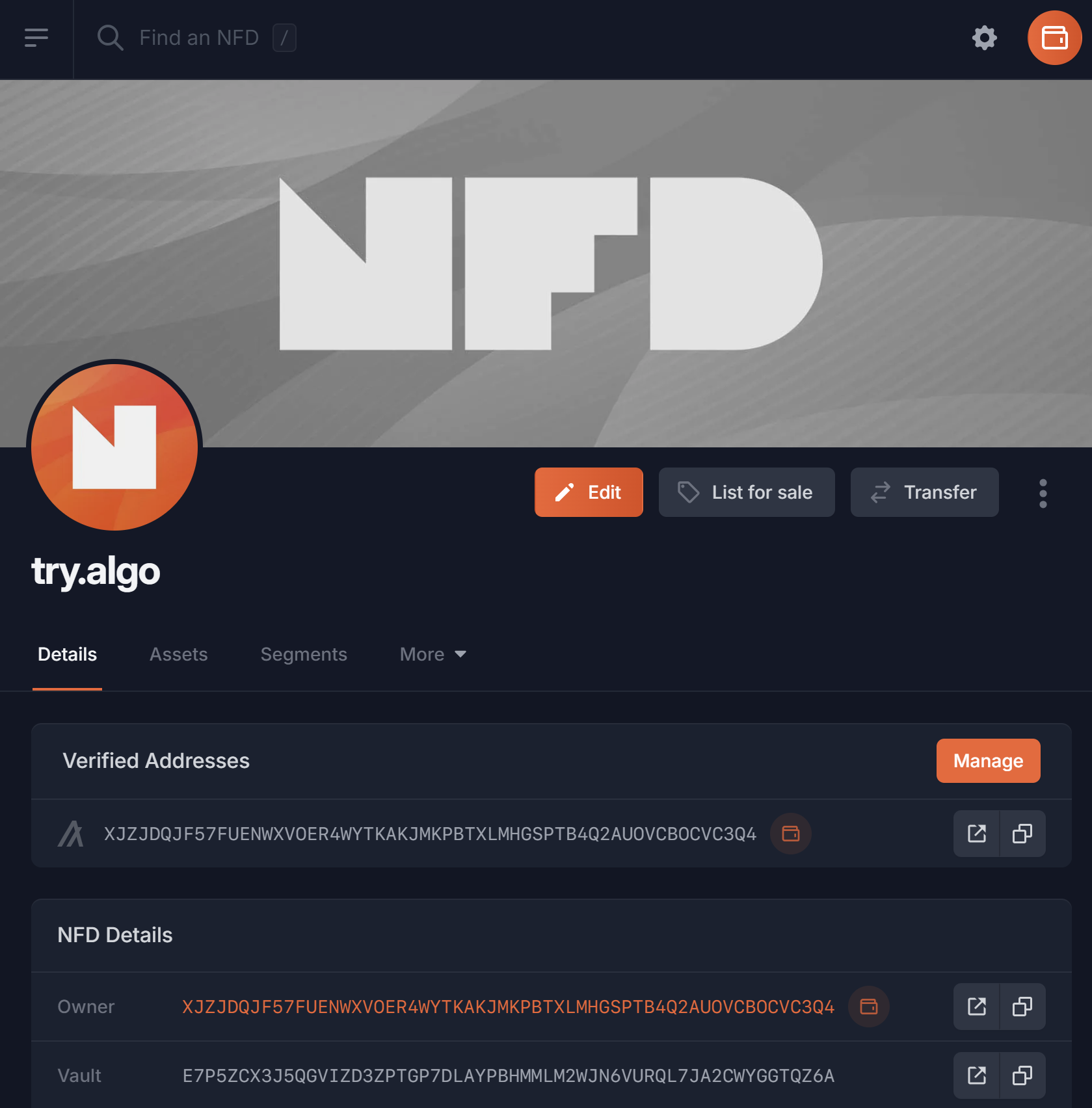
To set metadata records, navigate to an NFD you own and select *Edit*.

On mobile you can find *Edit* in the three dot menu

<div><figure><img src="/files/vmSmKzrkxp7u810pCcOY" alt="" width="371"><figcaption><p>Mobile View</p></figcaption></figure> <figure><img src="/files/ArcVlKS7JOlEVcifAUzG" alt="" width="375"><figcaption><p>Desktop View</p></figcaption></figure></div>

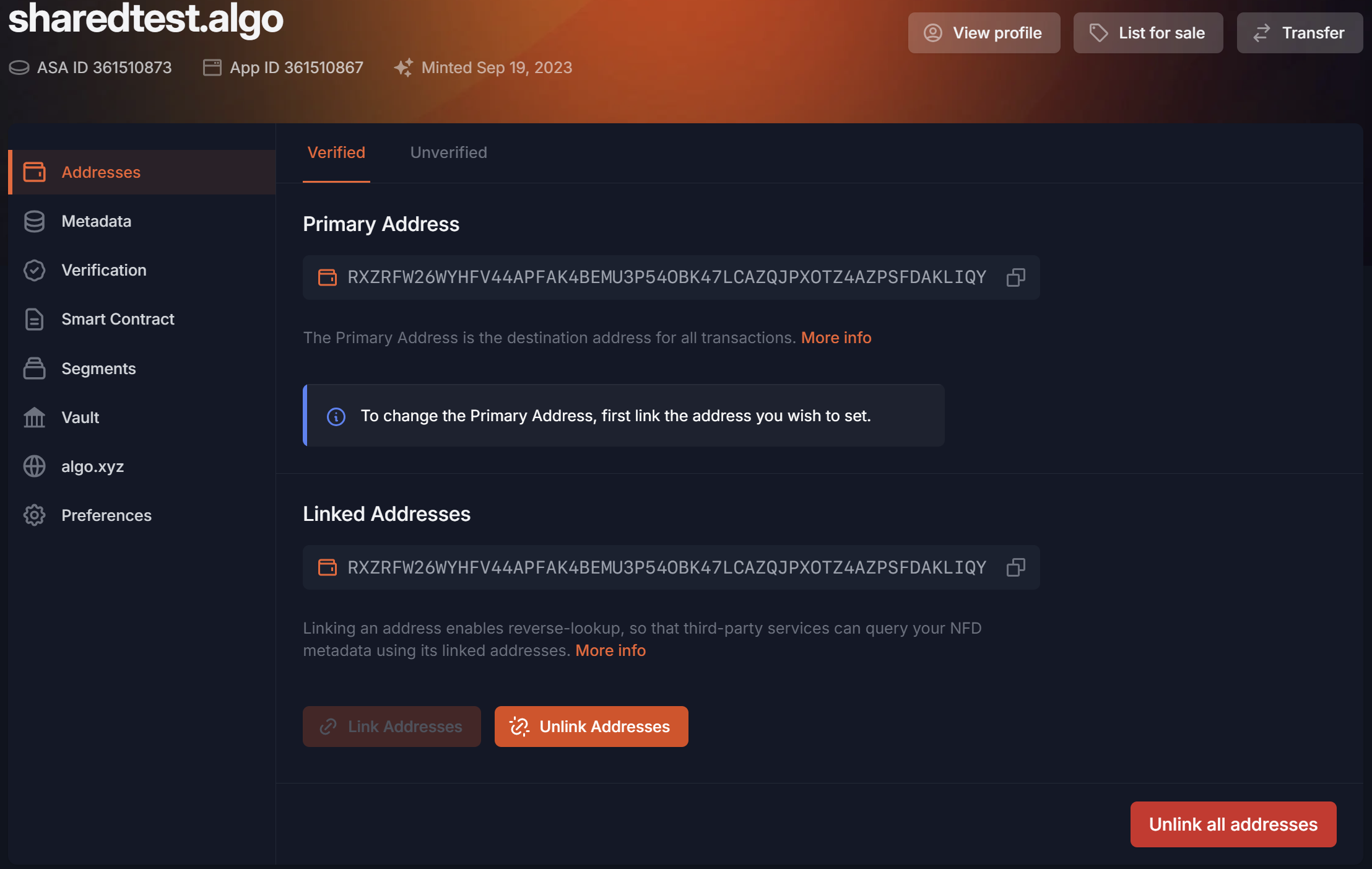
The first tab on the sidebar is for addresses.

<figure><img src="/files/IlCdXOHGGfYzAhQigohX" alt=""><figcaption><p>Edit Menu</p></figcaption></figure>

***

### Addresses <a href="#verified-addresses" id="verified-addresses"></a>

The address that will resolve when sending to an NFD ([forward resolution](/#forward-resolution)) will be the *owner address* by defaul&#x74;*,* **unless** a *verified* or *unverified address* are set.

By linking a *verified* or *unverified address* you are selecting that address to receive funds instead of the *owner address.* This address becomes known as the NFD's *primary address*.

By setting a *verified deposit address*, integrators are able to trust the [reverse resolution](/#reverse-resolution), matching your wallet to your NFD. Without the address being verified, the reverse resolution cannot be trusted as anyone can paste an address in an NFD.

{% hint style="info" %}
The owner address and the linked addresses are **independent**.
{% endhint %}

If you wish to link multiple *verified addresses* to one NFD you need to use a wallet that allows selecting multiple accounts at once, such as [Pera ](/resources/new-to-algorand)or [Defly](/resources/new-to-algorand). To verify multiple addresses we require users to sign for both account A and account B in the same transaction group.

If you have multiple NFDs linked to the same *verified address*, you can pick which NFD you'd like to be displayed on reverse resolution by setting your *primary NFD*. This can be found in the wallet menu.

{% embed url="<https://youtu.be/dCvoaqknx5Y?si=L8-RKUw6mnMsUrKT&t=401>" %}
Setting Addresses
{% endembed %}

***

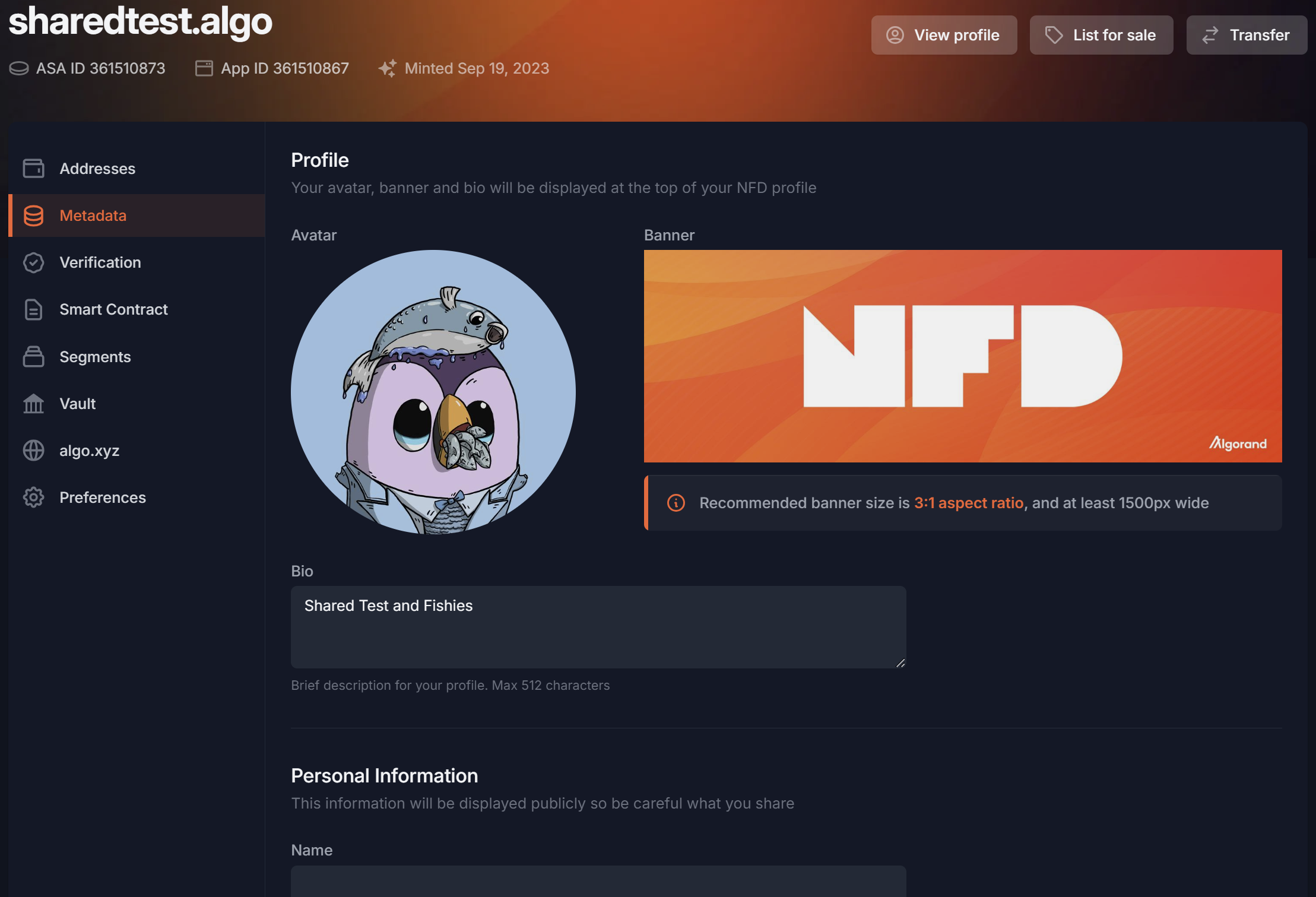
### Other Records

Other metadata records can be set in the Edit -> Metadata tab. These include profile picture, banner, bio, name, email address, physical address, Twitter, Bluesky, Discord, Telegram, Github, LinkedIn, web domain, [algo.xyz redirect](/platform/manage/algo.xyz), and custom metadata records.

<figure><img src="/files/iJ7tPN3lPpZmDarYpiY5" alt=""><figcaption><p>Edit Metadata Menu</p></figcaption></figure>

Certain metadata records can be verified off-chain in the Verification tab.

Once records are set in the appropriate metadata fields in the Metadata tab, you're able to verify those in the Verification tab.

Twitter, Bluesky, Github, web domain, email, avatar & banner can be verified through the verification tab. Telegram and Discord both require users to interact with NFD bots to verify.

{% embed url="<https://youtu.be/dCvoaqknx5Y>" fullWidth="false" %}
Verifying Metadata
{% endembed %}

***


# Bluesky Verification

{% hint style="warning" %}
Must be a Root NFD on at least version 3.x.
{% endhint %}

In Bluesky, go to:

* Settings
* Change handle
* Select 'I have my own domain'
* Enter: xxxx.algo.xyz for domain (ie: patrick.algo.xyz)
* Pick 'no dns panel'
* Copy the entire DID value it shows in the 'that contains the following' field
  * On Android, select 'copy file contents'

In your NFD, go to:

* Edit metadata
* Paste the DID value into the `blueskydid` field
* Update the NFD
* Scroll back up to the `blueskydid` field and hit verify
* Select 'start verification'
* Post the verification challenge to Bluesky
* Confirm on NFDs (allow up to a few minutes)

Once your Bluesky account is verified in your NFD, go back to Bluesky, and go to:

* Settings
* Change handle
* Select 'I have my own domain'
* Enter: xxxx.algo.xyz for domain (ie: patrick.algo.xyz)
* Pick 'no dns panel'
* Select 'verify text file'

Your Bluesky handle will now be your NFD!\\

{% embed url="<https://youtube.com/shorts/PKNs21TjtVM?si=3ePlDOAxXIZz7BuH>" %}
Video Tutorial
{% endembed %}


# Twitter Verification

## Twitter Verification

* Enter your handle into the Twitter field of your NFD (see [Setting Metadata](/platform/manage/setting-metadata-records)) & update it.
* Once the field is updated, you will see a 'verify' option appear below the Twitter field. You can also get there by navigating from Metadata to Verification on the sidebar (drop-down on mobile).
* Select 'Verify' and then 'Start Verification'
* Tweet out the verification challenge (allow \~30 seconds for the post to be posted to the timeline)
* Come back to NFDomains and hit confirm
* If successful your Twitter handle will move into the Verified section at the top of your profile.

To be ranked on the Leaderboard, see[ Analytics](/platform/analytics/twitter-leaderboard).

{% embed url="<https://youtu.be/dCvoaqknx5Y?si=auU-W6tMAvxlAqhH&t=747>" %}
Verifying Twitter
{% endembed %}

***


# Discord Verification

To verify Discord you must interact with our Discord bot in the **#verify-nfd** channel and follow the instructions.

[Discord Verification Channel](https://discord.gg/TazX7rFRu3)

{% embed url="<https://youtu.be/dCvoaqknx5Y?si=QyYbdoCfWg7T-Zlz&t=847>" %}
Discord Verification
{% endembed %}

***


# Telegram Verification

To verify Telegram you must interact with our Telegram bot which can be found in edit -> verifications -> follow instructions.

{% embed url="<https://youtu.be/dCvoaqknx5Y?si=2qNa359ZhDVKvVRC&t=794>" %}
Verifying Telegram
{% endembed %}

***


# Github Verification

## Personal Verification

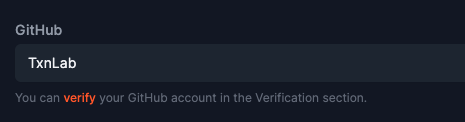
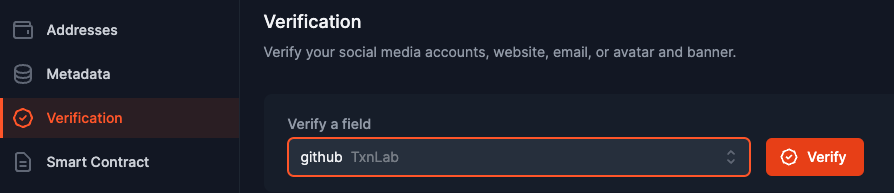
To verify Github, enter your handle into the Github field of your NFD (see [Setting Metadata](/platform/manage/setting-metadata-records)) & update it.

Once the field is updated, you will see a 'verify' option show up in the Verification tab, as well as in the Metadata tab below the Github field.

<figure><img src="/files/txHVLu0h7RNL6zhLqHaG" alt=""><figcaption><p>Metadata Tab</p></figcaption></figure>

<figure><img src="/files/YQGFcfOnTYmjPsukwJdl" alt=""><figcaption><p>Verification Tab</p></figcaption></figure>

When you click verify, you'll see a dialog to 'start verification'. Click that. You'll next see a modal like this:

<figure><img src="/files/QSmIlpyjPLnr0Ue6dwE4" alt=""><figcaption></figcaption></figure>

Follow the directions, creating a **PUBLIC** gist for your user with the contents as specified. Once completed, come back to the NFD page and click Confirm.

If your handle is an organization, do NOT create a gist but follow the changes below.

***

## Organization Verification

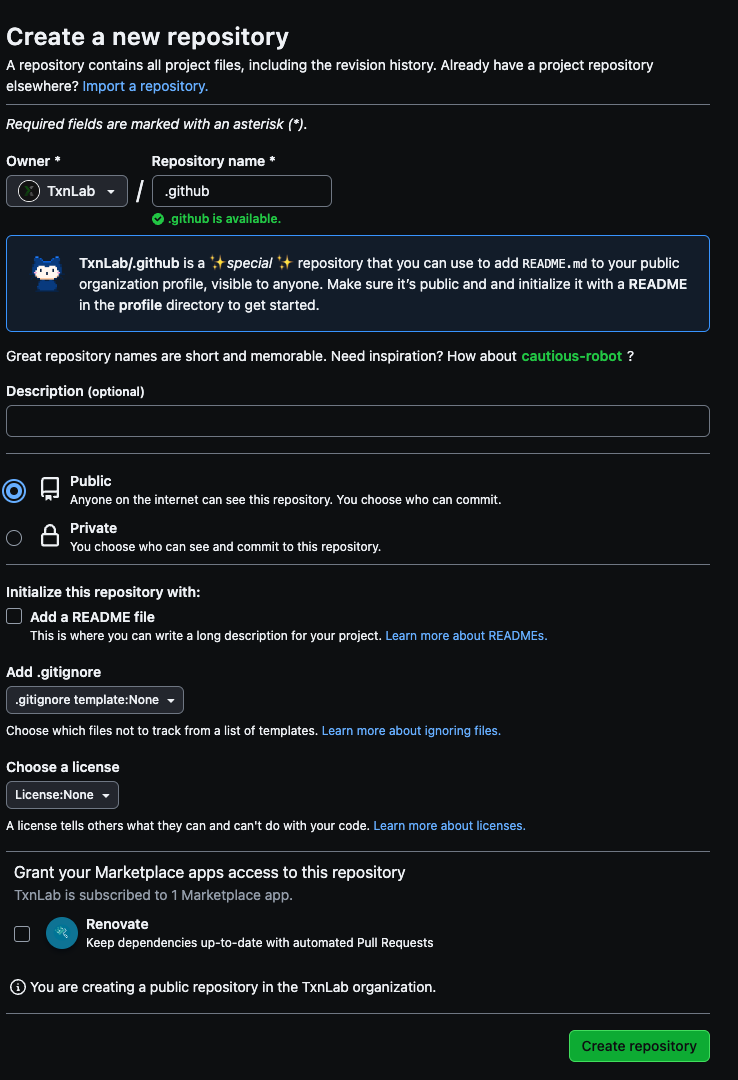
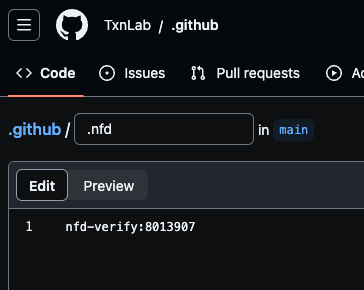
Follow the directions above but instead of creating a gist, set the nfd-verify:xxx challenge value into a root file called "**.nfd**" in the **.github** Organization Repo for your organization.

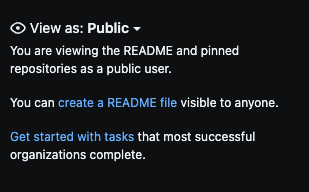
If you don't already have a .github repo, one easy way of doing it is to click the 'create readme' link on the right of your organizations github profile page. You can also click the '+' dropdown menu and click New Repository - naming it .github.

<figure><img src="/files/ySDQSFG9Mp5cwoyzBPzA" alt=""><figcaption><p>Clicking 'create a README file' will create your .github repo</p></figcaption></figure>

If you choose the 'New Repository' route. Here is an example - **notice it must be public** !

<figure><img src="/files/ItEetI1H79ECJ0J8NOeU" alt=""><figcaption><p>Add new .github repo to Organization</p></figcaption></figure>

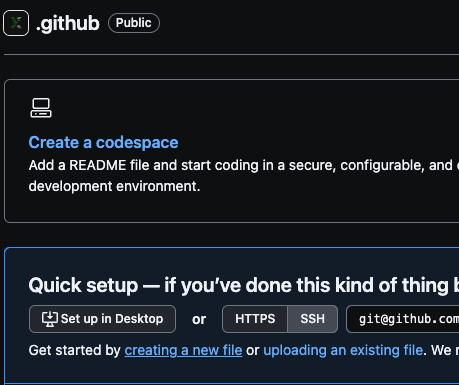
If you create the empty .github repo like above, then click the 'creating a new file' link.

<figure><img src="/files/TwnEXXnByPkpvxETXBoC" alt=""><figcaption></figcaption></figure>

followed by naming the file '.nfd' and pasting in the challenge:

<figure><img src="/files/BZ85DKg2SU2ahCRLZwTQ" alt=""><figcaption></figcaption></figure>

Commit the changes and then switch back to the NFD page and click Confirm.

***


# Assets & Vaults

### Assets <a href="#cc1e" id="cc1e"></a>

The *Assets Owned* tab aggregates NFTs, NFDs, and Tokens across all of your accounts (owner account, linked accounts, and vault).

You're able to manage all of your assets here (send, move to vault, choose a PFP / banner, etc.).

<figure><img src="/files/ZNtdqgZA3H6XSD69oXQK" alt=""><figcaption><p>Assets Owned Tab</p></figcaption></figure>

***

### Vaults <a href="#cc1e-1" id="cc1e-1"></a>

Vaults are distinct Algorand accounts associated with an NFD. These accounts have the ability to auto opt-in to assets that are sent to them.

#### What’s an Opt-In? <a href="#cc1e-2" id="cc1e-2"></a>

Before an Algorand account can receive a specific asset it must opt-in to receive it. While this is a nice feature to prevent unwanted assets from entering your wallet, it adds friction when trying to transact new assets. This is a major issue for airdrops and giveaways, but also for regular users sending each other NFTs which all have unique ASA IDs.

#### NFD Vault Features <a href="#e96b" id="e96b"></a>

Newly minted NFDs will have Vault functionality. Existing NFDs may need to be upgraded to at least `Version 2.11` to enable Vaults.

See the [Smart Contract](/platform/manage/smart-contract) section to learn how to upgrade your NFDs contract.

#### **Auto opt-in / opt-out**

Vaults will auto opt-in to any asset they are sent, and they will also auto opt-out when you send an asset resulting in a zero balance which helps manage the minimum balance requirement (MBR) of the account.

The sender pays the .1 ALGO MBR and does not get it back, preventing the spamming of unwanted assets by adding a cost.

**Vaults default to being unlocked.** The Vault can be unlocked or locked at will, offering a high degree of control to the user. Don’t want random tokens showing up? Keep your Vault locked! Find the toggle in your Assets -> Vault page, or in Edit -> Vault.

{% embed url="<https://youtu.be/dCvoaqknx5Y?si=OY1HxJ3q4NGvV2Gr&t=986>" %}
All About Vaults
{% endembed %}

***

### **Asset Management**

NFD Vaults offer seamless asset management, allowing users to transfer assets between their accounts and Vault, or to any other NFD account or its Vault. You can also access the Send feature through the Wallet Menu and through the Search.

<figure><img src="/files/5gwimREMjf1BtLNcAzBo" alt=""><figcaption><p>Vault Tab</p></figcaption></figure>

### Lock & Unlock Vault <a href="#lock-and-unlock-vault" id="lock-and-unlock-vault"></a>

Newly minted or upgraded NFDs come with unlocked Vaults. If you wish to lock your NFD, there is a toggle on the Assets -> Vault page to lock or unlock.

<figure><img src="/files/cemZTuf9I0chAiCkC0H0" alt=""><figcaption><p>Toggled To Unlocked</p></figcaption></figure>

Alternatively, you can go into an owned NFD and go to Edit -> Vault -> toggle locked or unlocked -> Update Vault.

<figure><img src="/files/ICyePZSgJ6eelZGWmPAk" alt=""><figcaption><p>Edit -> Vault</p></figcaption></figure>

### Send to a Vault / From a Vault <a href="#send-to-a-vault-from-a-vault" id="send-to-a-vault-from-a-vault"></a>

To utilize vaults you need to use the NFD app or the Defly wallet.

Pera wallet has not integrated NFD Vaults.

1\) Generic 'Send' can be found in the Wallet Modal at the top right of your screen, or through the search bar when looking for a name. You can send to any NFD or any NFDs Vault as long as they have an upgraded contract and an unlocked Vault.

<figure><img src="/files/8PC4t4maGyrXLsry6LzB" alt=""><figcaption><p>Search</p></figcaption></figure>

<figure><img src="/files/Hk5KRB9iuCMojZIo1bjv" alt=""><figcaption><p>Wallet Modal -> Send</p></figcaption></figure>

2\) From the Assets Owned or Vault page of an NFD, click the three little dots for options.

You can Move to Vault, Move to Deposit Account, and Send from this menu.

<figure><img src="/files/904GfjVMqGbNwXOCKEqh" alt=""><figcaption><p>Assets Owned (With Connected Wallet)</p></figcaption></figure>

### Transfer an NFD with Contents <a href="#transfer-an-nfd-with-contents" id="transfer-an-nfd-with-contents"></a>

The Vault is the NFD, meaning that all assets travel with it. This feature enables users to sell or transfer their NFD along with all of its vaulted assets, facilitating easy trading of large NFT collections. Be aware of this when selling an NFD!

<figure><img src="/files/fvVZs5yjvPDZ9wsDN4A1" alt=""><figcaption><p>An NFD with Assets in Vault</p></figcaption></figure>

***

### Notifications <a href="#notifications" id="notifications"></a>

To get notifications of assets sent to your Vault, add the Vault address as a 'Watch Account' in Pera or Defly and ensure notifications are turned on.

Find the Vault address in your NFDs Details.

<figure><img src="/files/6SolvjBUVSK62M8HVj9u" alt="" width="563"><figcaption><p>Profile Page</p></figcaption></figure>

To add a watch account in Pera, hit the `+` icon -> I want to create an account -> Add watch account -> Paste in the Vault address

To add a watch account in Defly, hit the `+` icon -> Contact -> Paste in the Vault Address

***


# Smart Contract

### NFD Versions

NFDs are currently on `Version 3.7` (V3) of the [NFD Registry contract](/smart-contracts/resolving-nfds/nfd-registry).

There were major changes between V1 and V2, as well as V2 and V3.

Prior to `Version 1.16`, NFDs didn't have Segments.

Prior to `Version 2.11`, NFDs didn't have Vaults.

`Version 2.12` was needed to allow V2 NFDs to mint Segments with renewals.

Any NFD prior to `Version 3.01` is considered a legacy NFD, meaning it doesn't have renewal fees. If a V2 NFD is upgraded to V3, the NFD owner will need to start paying renewal fees. The NFD protocol will never force V1 / V2 owners to upgrade to V3.

***

### Upgradable Smart Contracts <a href="#overview-of-upgradable-smart-contracts" id="overview-of-upgradable-smart-contracts"></a>

NFDs are upgradable and NFDomains takes full-advantage of this as Algorand releases new features. NFDomains pushes updates along with update notes on what has been changed and why.

#### Upgrading your NFDs Smart Contract <a href="#upgrade-smart-contract" id="upgrade-smart-contract"></a>

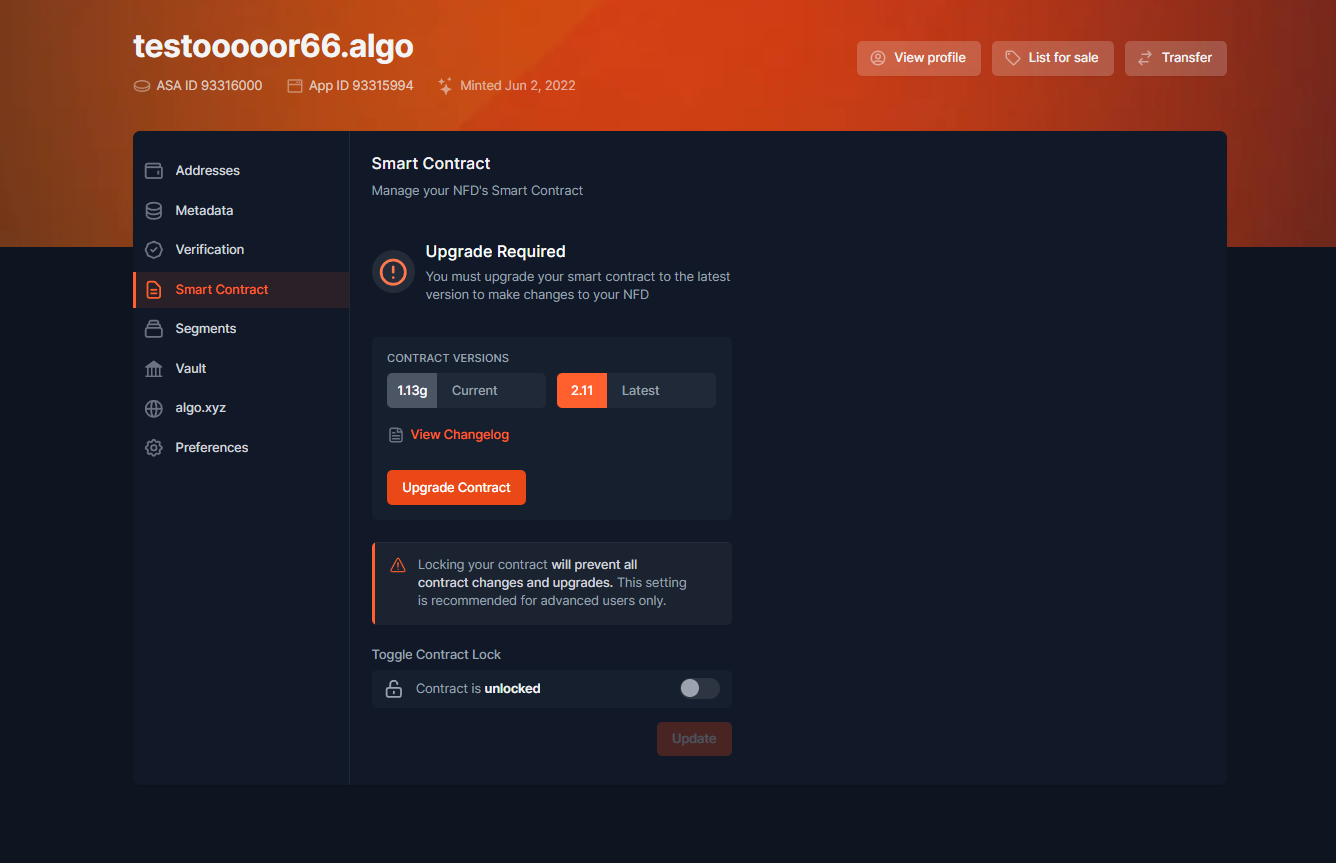
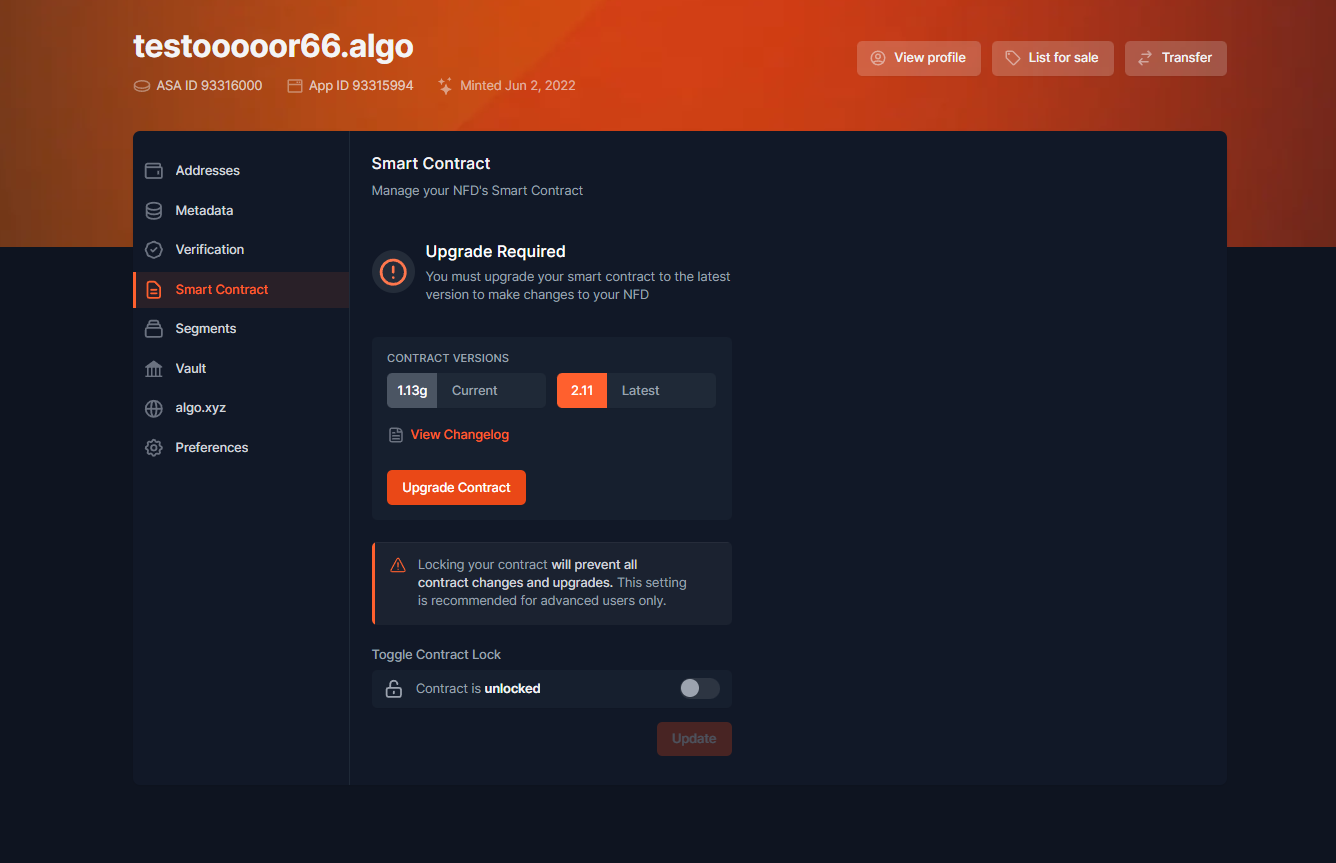
To upgrade your smart contract, navigate to an owned NFD -> *Edit* -> *Smart Contract* -> *Upgrade Contract*.

<figure><img src="/files/slY3Xi8zLcXVFzBqc2e7" alt=""><figcaption><p>Edit -> Smart Contract</p></figcaption></figure>

***

### Lock / Unlock Smart Contract <a href="#lock-unlock-smart-contract" id="lock-unlock-smart-contract"></a>

To allow maximum user control, users can toggle between locking and unlocking their NFD to upgrades. If you lock your contract, your NFD cannot be upgraded until you unlock it.

***


# Algo.xyz

Users are able to use the `algo.xyz` domain to redirect to any webpage they'd like.

To resolve an NFD via DNS, users simply need to append `.xyz` at the end of the name.

Example:\
`silvio.algo` ➡️ [`silvio.algo.xyz`](https://silvio.algo.xyz/)

{% hint style="info" %}
For Segments you have to use the following format for redirects: `algo.xyz/segment.root`
{% endhint %}

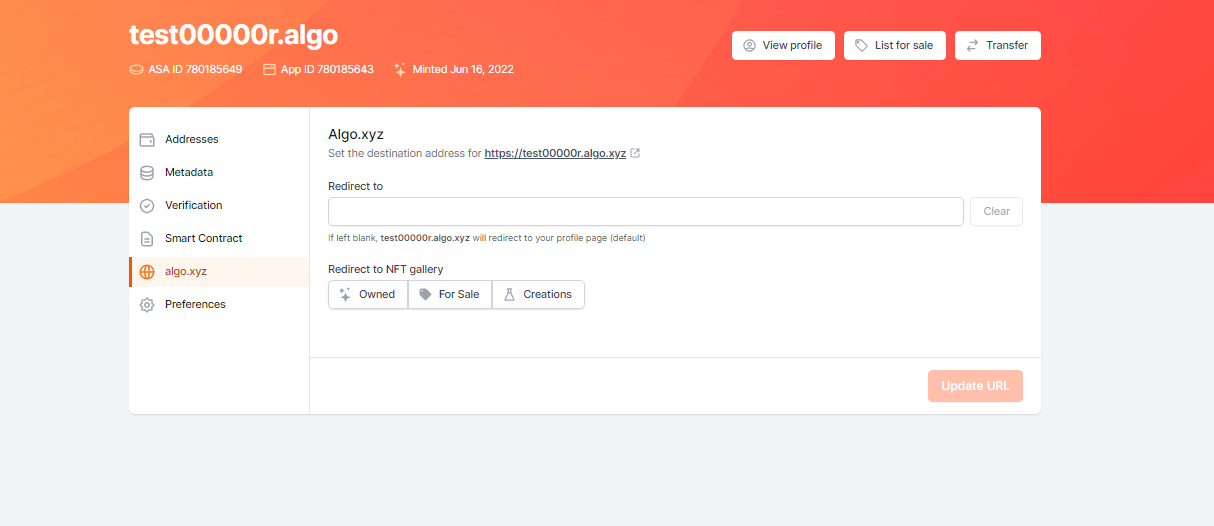
By default the redirect will go to your profile page. If you want to redirect to an entirely different page, paste the URL in the *Redirect to* field.

To confirm your changes make sure to hit "Update URL" in the bottom right corner.

<figure><img src="/files/kdMa5Leji9fz6x6wBtrI" alt=""><figcaption><p>algo.xyz redirect</p></figcaption></figure>

***


# Native DNS for NFDs

Expose Your .algo Domain via .algo.xyz

## Introduction

With the release of DNS support in NFD on Algorand, you can now bind globally-resolvable DNS records to your .algo name—served directly from the Algorand blockchain. Through integration with the `.algo.xyz` TLD, names like `somedapp.algo` become `somedapp.algo.xyz`—and can be accessed via any DNS client, browser, or application worldwide.

**Your NFD becomes a real, working domain:**

* `patrick.algo.xyz` - accessible via standard DNS

This means you can point your NFD to a website, receive email, configure SSL certificates, and more—all with records you control on-chain.

This creates a true **Web3 DNS system** using **native DNS protocol standards**, while retaining:

* On-chain data control
* Self-custodial ownership
* Trustless resolution

***

## How It Works

```
1. You configure DNS records in your NFD (stored on Algorand blockchain)
        ↓
2. The NFD DNS service reads your on-chain data
        ↓
3. Standard DNS queries resolve your NFD as a normal domain
```

When someone queries `patrick.algo.xyz`, the NFD DNS service fetches your records from the blockchain and returns a standard DNS response. No special software needed—it just works with any browser or application.

***

## Background: DNS and RR Types

DNS (Domain Name System) maps human-readable names to machine-usable data using **resource records (RRs)**. Common RR types include:

| Type    | Purpose                                        |
| ------- | ---------------------------------------------- |
| `A`     | IPv4 address of a host                         |
| `AAAA`  | IPv6 address                                   |
| `TXT`   | Free-form text (often used for verification)   |
| `MX`    | Mail server settings                           |
| `CNAME` | Canonical alias (points one domain to another) |
| `SRV`   | Advanced service routing                       |
| `CAA`   | Certification authority authorization          |

Traditionally, these records are stored and managed via centralized registrars or DNS providers. In contrast, NFDs allow **you** to define these records on-chain.

***

## Architecture

### Storage

Each NFD stores its DNS records in a `dns` property—structured JSON stored on-chain inside its associated Algorand smart contract. This property is:

* Versioned (requires NFD v3+)
* User-editable via the NFD Manager
* Strictly owned/controlled by the NFD's controlling account

### Ownership & Security

Ownership of DNS records is cryptographically enforced by the Algorand blockchain:

* You can use single-signature wallets, multisig accounts, or smart contract wallets to own NFDs.
* No third-party registrar required.
* Record changes are signed transactions.

This enables advanced workflows like:

* Smart contracts updating DNS records automatically.
* DAOs owning service domains like `community.algo`.
* Multisig-controlled dApp endpoints (e.g., `swap.algo.xyz`).

***

## DNS Record Format

DNS records are stored as JSON in your NFD. Each record has these fields:

| Field    | Required | Description                                        |
| -------- | -------- | -------------------------------------------------- |
| `name`   | Yes      | Where the record applies (use `@` for your domain) |
| `type`   | Yes      | Record type: A, AAAA, CNAME, MX, TXT, SRV, CAA     |
| `rrData` | Yes      | Array of record values                             |
| `ttl`    | No       | Cache time in seconds (default: 300)               |

### Name Field

* `@` — Your domain itself (e.g., `patrick.algo.xyz`)
* `www` — A subdomain (becomes `www.patrick.algo.xyz`)
* `mail` — Another subdomain (becomes `mail.patrick.algo.xyz`)
* `grafana` — A subdomain (becomes `grafana.patrick.algo.xyz`)
* `_dmarc` — Special subdomain for DMARC records

#### Accepted name forms

All of the following are accepted and resolve to the same place under your NFD (`patrick.algo`):

| You write              | It serves                 |
| ---------------------- | ------------------------- |
| `@`                    | `patrick.algo.xyz` (apex) |
| `www`                  | `www.patrick.algo.xyz`    |
| `www.@`                | `www.patrick.algo.xyz`    |
| `www.patrick.algo`     | `www.patrick.algo.xyz`    |
| `www.patrick.algo.`    | `www.patrick.algo.xyz`    |
| `www.patrick.algo.xyz` | `www.patrick.algo.xyz`    |

The `.@` suffix (e.g. `www.@`, `_dmarc.@`, `_http._tcp.@`) is the explicit canonical form—it states "this is a subname of my NFD." Bare labels like `www` work identically.

{% hint style="warning" %}
**Scope: every record name is rooted under your NFD.** You have DNS authority only over your own NFD and its subnames, so any `name` you store is interpreted as something *inside* your NFD's subtree.

A trailing dot in a standard DNS zone file means "fully qualified—don't append the origin." In NFD context that's almost always a mistake. To avoid this footgun, any name that isn't already inside your NFD's zone is **re-rooted** under it:

* `_test._tcp.` (trailing-dot, no NFD) → serves as `_test._tcp.patrick.algo.xyz`
* `evil.someone-else.algo.` (a *different* NFD) → serves as `evil.someone-else.algo.patrick.algo.xyz` (you do **not** gain authority over `someone-else.algo`)

When in doubt, use the `.@` suffix—it makes your intent explicit and is never re-rooted unexpectedly.
{% endhint %}

### TTL (Time to Live)

* **Minimum:** 60 seconds
* **Maximum:** 86,400 seconds (24 hours)
* **Default:** 300 seconds (5 minutes)

Lower TTL = faster updates, but more DNS queries. Higher TTL = better caching, but slower propagation of changes.

***

## Managing DNS Records in Your NFD

### Editing via UI

To add or modify DNS records:

1. Open the NFD Manager and select an NFD (version 3+).
2. Click **DNS Editor**.
3. Use "Add DNS Record":
   * **Type**: Choose one of the supported types (`A`, `AAAA`, `TXT`, etc.)
   * **Name**: Use `@` to represent the root of the NFD (e.g. `patrick.algo`)
   * **TTL**: Set time-to-live in seconds
   * **Value**: A string or list, depending on type (e.g. multiple IPs for an `A` record)

***

## How `.algo.xyz` Resolution Works

The `.algo.xyz` TLD is backed by [**nfd-coredns**](https://github.com/TxnLab/nfd-coredns), an open-source [CoreDNS](https://coredns.io/) plugin that resolves DNS queries for Algorand NFDs by reading on-chain data directly from the blockchain. When a DNS query arrives for a domain like `patrick.algo.xyz`, the plugin:

* Strips the `.xyz` suffix
* Checks a local cache for previously fetched records
* Queries the Algorand blockchain if needed
* Converts on-chain JSON data to standard DNS resource records
* Returns the response as a normal DNS reply

The resolver supports all NFD DNS record types (A, AAAA, CNAME, MX, TXT, SRV, CAA, NS, SOA, CERT) and honors TTL values.

### Run Your Own Resolver

Anyone can run their own NFD DNS resolver using the Docker image:

```bash
docker pull txnlab/nfd-dns:latest
```

See the [nfd-coredns GitHub repository](https://github.com/TxnLab/nfd-coredns) for configuration details and setup instructions.

### Live Resolvers

* `algo.xyz` zone is currently served by:
  * [TxnLab Resolver](https://txnlab.dev)
  * [Nodely Resolver](https://nodely.io)

***

## Subdomain and Delegation Model

Unlike traditional DNS, the NFD subdomain model **preserves segment ownership**. A *segment* (e.g. `api.patrick.algo`) is its own NFD with its own owner, and it **always serves its own DNS records**—regardless of who owns the root NFD. How a segment combines with the root depends on ownership. There are three cases:

1. **No segment NFD is minted** — the root NFD serves the subname directly. A record stored on `patrick.algo` with name `api` answers `api.patrick.algo.xyz`.
2. **Segment owned by the same account as the root** — the segment is **merged** with the root. The root can define sub-records that fall inside the segment, and **root records win** if both define the same name + type. This lets you manage a root NFD and the segments you own as one zone.
3. **Segment owned by a different account** — the segment alone is **authoritative** for its own subtree (`api.patrick.algo` and everything under it). The root NFD owner has no DNS authority inside it, and any root records pointing into the segment's subtree are **ignored**. This mirrors how segments are sold and operated independently.

This prevents parent domains from hijacking subdomain content they do not own.

{% hint style="info" %}
"Authoritative" here describes the *NFD-ownership* boundary, not a DNS delegation. The plugin still answers these names directly—there is no NS referral and no delegated subzone (NFD subdomains never have NS records; see [Limitations](#limitations) below).
{% endhint %}

### Resolution examples

The tables below assume a root NFD of `patrick.algo`. "Resolves to" is what a DNS query actually returns.

**Scenario A — no `api.patrick.algo` segment is minted (root serves the subname):**

| Query                    | Record on `patrick.algo` | Resolves to                         |
| ------------------------ | ------------------------ | ----------------------------------- |
| `patrick.algo.xyz` A     | `@` → `203.0.113.1`      | `203.0.113.1`                       |
| `www.patrick.algo.xyz` A | `www` → `203.0.113.2`    | `203.0.113.2`                       |
| `api.patrick.algo.xyz` A | `api` → `203.0.113.3`    | `203.0.113.3` (root serves subname) |
| `api.patrick.algo.xyz` A | *(no `api` record)*      | placeholder / NODATA                |

**Scenario B — `api.patrick.algo` is a segment owned by the&#x20;*****same*****&#x20;account as the root:**

| Query                        | `patrick.algo` defines | `api.patrick.algo` defines | Resolves to                            |
| ---------------------------- | ---------------------- | -------------------------- | -------------------------------------- |
| `api.patrick.algo.xyz` A     | `api` → `1.1.1.1`      | `@` → `2.2.2.2`            | `1.1.1.1` (root wins the conflict)     |
| `api.patrick.algo.xyz` AAAA  | *(none)*               | `@` → `2001:db8::1`        | `2001:db8::1` (segment merged in)      |
| `key.api.patrick.algo.xyz` A | *(none)*               | `key` → `3.3.3.3`          | `3.3.3.3` (segment serves its subname) |

**Scenario C — `api.patrick.algo` is a segment owned by a&#x20;*****different*****&#x20;account:**

| Query                        | `patrick.algo` defines | `api.patrick.algo` defines | Resolves to                                      |
| ---------------------------- | ---------------------- | -------------------------- | ------------------------------------------------ |
| `api.patrick.algo.xyz` A     | `api` → `1.1.1.1`      | `@` → `2.2.2.2`            | `2.2.2.2` (segment authoritative; root ignored)  |
| `key.api.patrick.algo.xyz` A | `key.api` → `1.1.1.1`  | `key` → `3.3.3.3`          | `3.3.3.3` (root has no authority inside segment) |
| `api.patrick.algo.xyz` A     | `api` → `1.1.1.1`      | *(no records)*             | placeholder (segment exists but empty)           |

***

## Bluesky Integration

If you've verified your Bluesky account with your NFD, a TXT record for `_atproto` is **automatically added**. You don't need to configure this manually.

The system creates:

```
_atproto.patrick.algo.xyz. TXT "did=did:plc:abc123..."
```

This enables your NFD to serve as your Bluesky handle.

***

## Decentralized Websites (IPFS via DNSLink)

You can point your NFD at content stored on IPFS — the same idea as ENS's on-chain `contenthash`, but done with a standard DNS record, so it works with existing IPFS gateways and needs no special support.

Add a TXT record at `_dnslink.@` whose value is a DNSLink path:

* `dnslink=/ipfs/<CID>` — an immutable snapshot (the content for that exact CID)
* `dnslink=/ipns/<name>` — a mutable pointer you can update without changing DNS

```json
{
  "name": "_dnslink.@",
  "type": "TXT",
  "rrData": ["\"dnslink=/ipfs/bafybeigdyrzt5sfp7udm7hu76uh7y26nf3efuylqabf3oclgtqy55fbzdi\""],
  "ttl": 300
}
```

This serves:

```
_dnslink.patrick.algo.xyz. TXT "dnslink=/ipfs/bafybei..."
```

**Viewing it:** any IPFS gateway resolves it, e.g. `https://ipfs.io/ipns/patrick.algo.xyz/` or `https://dweb.link/ipns/patrick.algo.xyz/`. For direct browser access at `patrick.algo.xyz`, point your `@` record (A/CNAME) at a DNSLink-aware gateway (e.g. a self-hosted Kubo DNSLink gateway or Cloudflare's web3 gateway); the gateway reads the `_dnslink` record by Host header and serves the IPFS content.

**Why this works:** unlike ENS — where `contenthash` lives on-chain and a gateway/browser must read the chain to translate it — the NFD DNS service answers DNS directly, so the standard DNSLink TXT convention is all you need. The `_dnslink` label is handled like any other underscore-prefixed name (the same mechanism behind `_dmarc` and `_atproto`).

***

## Limitations

1. **Segment depth**: The `.algo` name may have at most **4 labels**, *not counting* leading `_`-prefixed service labels. So `key.segment.patrick.algo` (4 labels) resolves, but `a.key.segment.patrick.algo` (5 labels) is rejected. Underscore service labels are exempt, so `_http._tcp.segment.patrick.algo` still works.
2. **No NS records for subdomains**: Your NFD subdomains are not delegated zones. NS records only work at the zone apex (`algo.xyz` itself).
3. **Record types**: The following types are supported: A, AAAA, CNAME, MX, TXT, SRV, CAA, NS, SOA, CERT
4. **Expiration**: If your NFD registration expires, DNS records will return a default placeholder until renewed.

***

## Benefits Summary

| Feature                     | Traditional DNS | NFD DNS |
| --------------------------- | --------------- | ------- |
| Registrar Required          | Yes             | No      |
| On-chain ownership          | No              | Yes     |
| Smart contract control      | No              | Yes     |
| Multisig/domain DAO control | No              | Yes     |
| Trustless resolution        | No              | Yes     |
| Global compatibility        | Yes             | Yes     |

***

## Next Steps

* [DNS Record Types](/platform/manage/native-dns-for-nfds/dns-record-types) — Complete reference for all supported record types with examples
* [Testing & Troubleshooting](/platform/manage/native-dns-for-nfds/testing-and-troubleshooting) — Verify your DNS configuration and debug common issues

***

## Conclusion

The `.algo.xyz` DNS bridge transforms your Algorand NFD into a global, resolvable domain using native internet infrastructure. This is a powerful blend of decentralization, security, and real-world interoperability—and it's available now.

**Your domain. Your keys. Your records.** Accessible from anywhere.


# DNS Record Types

Complete reference for DNS record types supported by NFD

This page provides detailed examples and configurations for each DNS record type supported by NFD.

{% hint style="info" %}
In the examples below, `@` is your NFD's apex and bare labels like `www` or `_dmarc` are subnames. You can also write subnames explicitly with the `.@` suffix (e.g. `www.@`). Every `name` you store resolves *under your NFD* —see [Name Field](/platform/manage/native-dns-for-nfds#name-field) for the accepted forms and scope rules.
{% endhint %}

***

## Supported Record Types

### A Record — IPv4 Address

Point your domain to a server's IPv4 address.

```json
{
  "name": "@",
  "type": "A",
  "rrData": [
    "192.168.1.1"
  ],
  "ttl": 300
}
```

**Multiple IP addresses** (for load balancing):

```json
{
  "name": "@",
  "type": "A",
  "rrData": [
    "192.168.1.1",
    "192.168.1.2"
  ],
  "ttl": 300
}
```

***

### AAAA Record — IPv6 Address

Point your domain to a server's IPv6 address.

```json
{
  "name": "@",
  "type": "AAAA",
  "rrData": [
    "2001:db8::1"
  ],
  "ttl": 600
}
```

***

### CNAME Record — Alias

Point a subdomain to another domain name.

```json
{
  "name": "www",
  "type": "CNAME",
  "rrData": [
    "myapp.vercel.app."
  ],
  "ttl": 300
}
```

{% hint style="info" %}
CNAME targets must end with a trailing dot (e.g., `myapp.vercel.app.`).
{% endhint %}

**Common uses:**

* Point `www` to your hosting provider
* Point subdomains to cloud services (Vercel, Netlify, etc.)

***

### MX Record — Email

Configure where email should be delivered.

```json
{
  "name": "@",
  "type": "MX",
  "rrData": [
    "10 mail.example.com.",
    "20 backup-mail.example.com."
  ],
  "ttl": 3600
}
```

The number before the server is the **priority**—lower numbers are tried first.

{% hint style="warning" %}
MX record hostnames must end with a trailing dot (e.g., `mail.example.com.`).
{% endhint %}

***

### TXT Record — Text Data

Store text data for verification, email authentication, and more.

**SPF (email sender verification):**

```json
{
  "name": "@",
  "type": "TXT",
  "rrData": [
    "\"v=spf1 include:_spf.google.com ~all\""
  ],
  "ttl": 300
}
```

**DMARC (email policy):**

```json
{
  "name": "_dmarc",
  "type": "TXT",
  "rrData": [
    "\"v=DMARC1; p=quarantine; rua=mailto:admin@example.com\""
  ],
  "ttl": 3600
}
```

**Domain verification:**

```json
{
  "name": "@",
  "type": "TXT",
  "rrData": [
    "google-site-verification=abc123xyz"
  ],
  "ttl": 300
}
```

***

### SRV Record — Service Discovery

Define the location of specific services.

```json
{
  "name": "_http._tcp",
  "type": "SRV",
  "rrData": [
    "10 5 80 web.example.com."
  ],
  "ttl": 300
}
```

**Format:** `priority weight port target`

| Field      | Description                                  |
| ---------- | -------------------------------------------- |
| `priority` | Lower = preferred                            |
| `weight`   | Load balancing between same priority servers |
| `port`     | Service port number                          |
| `target`   | Server hostname (must end with `.`)          |

***

### CAA Record — SSL Certificate Control

Specify which Certificate Authorities can issue SSL certificates for your domain.

```json
{
  "name": "@",
  "type": "CAA",
  "rrData": [
    "0 issue \"letsencrypt.org\"",
    "0 issuewild \"letsencrypt.org\""
  ],
  "ttl": 3600
}
```

**Tags:**

| Tag         | Purpose                                |
| ----------- | -------------------------------------- |
| `issue`     | Authorize CA for regular certificates  |
| `issuewild` | Authorize CA for wildcard certificates |
| `iodef`     | Report violations to an email/URL      |

***

## Complete Configuration Examples

### Basic Website

Point your NFD to a web server and create a www alias:

```json
[
  {
    "name": "@",
    "type": "A",
    "rrData": [
      "203.0.113.50"
    ],
    "ttl": 300
  },
  {
    "name": "www",
    "type": "CNAME",
    "rrData": [
      "@"
    ],
    "ttl": 300
  }
]
```

***

### Website + Email (Google Workspace)

Host a website and receive email via Google Workspace:

```json
[
  {
    "name": "@",
    "type": "A",
    "rrData": [
      "203.0.113.50"
    ],
    "ttl": 300
  },
  {
    "name": "www",
    "type": "CNAME",
    "rrData": [
      "@"
    ],
    "ttl": 300
  },
  {
    "name": "@",
    "type": "MX",
    "rrData": [
      "1 aspmx.l.google.com.",
      "5 alt1.aspmx.l.google.com.",
      "5 alt2.aspmx.l.google.com."
    ],
    "ttl": 3600
  },
  {
    "name": "@",
    "type": "TXT",
    "rrData": [
      "\"v=spf1 include:_spf.google.com ~all\""
    ],
    "ttl": 300
  }
]
```

***

### Vercel/Netlify Deployment

Point your domain to a cloud hosting platform:

```json
[
  {
    "name": "@",
    "type": "A",
    "rrData": [
      "76.76.21.21"
    ],
    "ttl": 300
  },
  {
    "name": "www",
    "type": "CNAME",
    "rrData": [
      "cname.vercel-dns.com."
    ],
    "ttl": 300
  }
]
```

***

### Full Professional Setup

Complete configuration with website, email, SSL, and verification:

```json
[
  {
    "name": "@",
    "type": "A",
    "rrData": [
      "203.0.113.50"
    ],
    "ttl": 300
  },
  {
    "name": "www",
    "type": "CNAME",
    "rrData": [
      "@"
    ],
    "ttl": 300
  },
  {
    "name": "@",
    "type": "MX",
    "rrData": [
      "10 mail.protonmail.ch.",
      "20 mailsec.protonmail.ch."
    ],
    "ttl": 3600
  },
  {
    "name": "@",
    "type": "TXT",
    "rrData": [
      "\"v=spf1 include:_spf.protonmail.ch ~all\""
    ],
    "ttl": 300
  },
  {
    "name": "_dmarc",
    "type": "TXT",
    "rrData": [
      "\"v=DMARC1; p=quarantine\""
    ],
    "ttl": 3600
  },
  {
    "name": "@",
    "type": "CAA",
    "rrData": [
      "0 issue \"letsencrypt.org\"",
      "0 issuewild \"letsencrypt.org\""
    ],
    "ttl": 3600
  }
]
```

***

## Developer Integration

You can manage DNS records on NFDs programmatically using:

* Algorand SDKs (Go, JS, Python)
* Direct JSON updates to the `dns` property via contract transactions
* On-chain logic to automate record updates from a contract

The records are stored in a structured format within the NFD's application state.

***

## Quick Reference

| I want to...                 | Record Type        | Example rrData                    |
| ---------------------------- | ------------------ | --------------------------------- |
| Point domain to IP           | A                  | `["1.2.3.4"]`                     |
| Point to IPv6                | AAAA               | `["2001:db8::1"]`                 |
| Create subdomain alias       | CNAME              | `["target.com."]`                 |
| Receive email                | MX                 | `["10 mail.provider.com."]`       |
| Add verification             | TXT                | `["verification-code"]`           |
| Email authentication         | TXT                | `["\"v=spf1 include:... ~all\""]` |
| Point domain to IPFS content | TXT (`_dnslink.@`) | `["\"dnslink=/ipfs/<CID>\""]`     |
| Restrict SSL issuers         | CAA                | `["0 issue \"letsencrypt.org\""]` |
| Service discovery            | SRV                | `["10 5 80 server.example.com."]` |


# Testing & Troubleshooting

Test and debug your NFD DNS configuration

After configuring your NFD DNS records, use this guide to verify they're working correctly and troubleshoot common issues.

***

## Testing Your DNS Records

Use the `dig` command to verify your records are resolving correctly.

### Test A Record

```bash
dig patrick.algo.xyz A
```

### Test AAAA Record

```bash
dig patrick.algo.xyz AAAA
```

### Test MX Records

```bash
dig patrick.algo.xyz MX
```

### Test TXT Records

```bash
dig patrick.algo.xyz TXT
```

### Test a Subdomain

```bash
dig www.patrick.algo.xyz CNAME
```

### Test Bluesky Verification

```bash
dig _atproto.patrick.algo.xyz TXT
```

**Test IPFS DNSLink:**

```bash
dig _dnslink.patrick.algo.xyz TXT
```

### Quick Test (Short Output)

Use `+short` for concise results:

```bash
dig +short patrick.algo.xyz A
dig +short foo.patrick.algo.xyz TXT
```

{% hint style="info" %}
You should see your configured records in the ANSWER SECTION of the response.
{% endhint %}

***

## NFD Segments (Subdomains)

A segment (e.g. `api.patrick.algo`) is its own NFD with its own owner, and it **always serves its own DNS records**. How a segment combines with the root NFD depends on ownership. See the [Subdomain and Delegation Model](/platform/manage/native-dns-for-nfds#subdomain-and-delegation-model) for the full explanation; the table below is a quick reference.

### Rules

* If no segment NFD is minted, the **root** NFD serves the subname (set an `api` record on `patrick.algo`).
* If a segment is owned by the **same account** as the root, the two are merged and **root records win** on a conflict.
* If a segment is owned by a **different account**, the **segment is authoritative**—the root's records pointing into it are ignored.
* Maximum depth: the `.algo` name may have at most **4 labels**, not counting leading `_`-prefixed service labels (e.g. `key.api.patrick.algo` resolves; `a.key.api.patrick.algo` is rejected).

### Quick reference

| Setup                                                         | Query                       | Resolves to                         |
| ------------------------------------------------------------- | --------------------------- | ----------------------------------- |
| Root only, `api` record on `patrick.algo`                     | `api.patrick.algo.xyz`      | root's `api` record                 |
| Segment `api.patrick.algo`, same owner, conflicting `@`/`api` | `api.patrick.algo.xyz`      | root's record (root wins)           |
| Segment `api.patrick.algo`, same owner, only segment has AAAA | `api.patrick.algo.xyz` AAAA | segment's record (merged)           |
| Segment `api.patrick.algo`, different owner                   | `api.patrick.algo.xyz`      | segment's own record (root ignored) |
| Segment exists but defines no records                         | `api.patrick.algo.xyz`      | placeholder                         |

***

## Troubleshooting

### Records Not Showing Up

**Symptoms:** `dig` returns no answer section or old data.

**Solutions:**

1. **Wait a few minutes** — There's caching at multiple levels (your local DNS, the resolver, etc.)
2. **Verify JSON syntax** — Malformed JSON will prevent records from being served
3. **Check name format** — Use `@` for the root domain, or a bare subdomain name (e.g., `www`, `grafana`)
4. **Confirm NFD version** — DNS requires NFD v3 or higher
5. **Watch the trailing dot** — A name with a trailing dot that isn't inside your NFD's zone (e.g. `_test._tcp.`) is re-rooted under your NFD, so it serves at an unexpected place like `_test._tcp.patrick.algo.xyz`. Use the `@` or `subdomain.@` form to be explicit.

***

### Getting NXDOMAIN

**Symptoms:** `dig` returns `NXDOMAIN` (domain does not exist).

**Solutions:**

1. **Ensure your NFD exists** — The NFD must be minted and active
2. **Check expiration** — Expired NFDs return placeholder responses
3. **Verify domain suffix** — You must query `*.algo.xyz`
4. **Check for typos** — Double-check the NFD name spelling

***

### Subdomain Returns Someone Else's Records

**Symptoms:** A subdomain like `api.patrick.algo.xyz` returns records you didn't set, and your root NFD's `api` record is ignored.

**Cause:** `api.patrick.algo` has been minted as a **separate segment NFD owned by a different account**. A different-owner segment is authoritative for its own subtree, so it serves its own records and any record you set on the root NFD pointing into that subtree is ignored. See the [Subdomain and Delegation Model](/platform/manage/native-dns-for-nfds#subdomain-and-delegation-model).

**Solutions:**

1. **Check segment ownership** — If you (or the same account) own both the root and the segment, the segment is merged and your root records win on a conflict.
2. **Set records on the segment** — To control a segment owned by a different account, edit that segment's NFD directly.

***

### Name Rejected or NXDOMAIN on a Deep Name

**Symptoms:** A deeply nested name (e.g. `a.key.api.patrick.algo.xyz`) returns `NXDOMAIN` or never resolves.

**Cause:** The `.algo` name exceeds the depth limit. A query name may have at most **4 labels**, not counting leading `_`-prefixed service labels.

**Solutions:**

1. **Flatten the name** — `key.api.patrick.algo` (4 labels) resolves; `a.key.api.patrick.algo` (5 labels) does not.
2. **Service labels are exempt** — Underscore-prefixed labels like `_http._tcp` don't count toward the limit, so `_http._tcp.api.patrick.algo` is fine.

***

### Email Not Working

**Symptoms:** Emails to your domain bounce or don't arrive.

**Solutions:**

1. **MX record format** — Priority number must come before the hostname:
   * Correct: `"10 mail.example.com."`
   * Wrong: `"mail.example.com. 10"`
2. **Trailing dot** — MX hostnames must end with a period:
   * Correct: `"10 mail.example.com."`
   * Wrong: `"10 mail.example.com"`
3. **Add SPF record** — Most email providers require SPF:

   ```json
   {
     "name": "@",
     "type": "TXT",
     "rrData": ["\"v=spf1 include:_spf.yourprovider.com ~all\""],
     "ttl": 300
   }
   ```
4. **Add DKIM** — Check your email provider's documentation for required DKIM records
5. **Check DMARC** — Some providers require DMARC policy

***

### SSL Certificate Issues

**Symptoms:** Certificate Authority won't issue a certificate.

**Solutions:**

1. **Check CAA records** — If you have CAA records, ensure they authorize your CA:

   ```json
   {
     "name": "@",
     "type": "CAA",
     "rrData": ["0 issue \"letsencrypt.org\""],
     "ttl": 3600
   }
   ```
2. **Remove restrictive CAA** — If unsure, you can remove CAA records to allow any CA
3. **Wait for propagation** — Some CAs cache DNS results; wait and retry

***

### CNAME Not Working

**Symptoms:** Subdomain doesn't redirect to target.

**Solutions:**

1. **Use trailing dot** — Target hostname must end with a period:
   * Correct: `["myapp.vercel.app."]`
   * Wrong: `["myapp.vercel.app"]`
2. **CNAME only for subdomains** — You cannot use CNAME for the root (`@`); use A record instead
3. **Check target exists** — Verify the CNAME target domain is accessible

***

## Resources

* **NFD Web App:** [app.nf.domains](https://app.nf.domains)
* **NFD API Documentation:** [api-docs.nf.domains](https://api-docs.nf.domains/)
* **nfd-coredns (open-source resolver):** [github.com/TxnLab/nfd-coredns](https://github.com/TxnLab/nfd-coredns)
* **Docker Image:** [txnlab/nfd-dns](https://hub.docker.com/r/txnlab/nfd-dns) — `txnlab/nfd-dns:latest`
* **TxnLab Resolver:** [txnlab.dev](https://txnlab.dev)
* **Nodely Resolver:** [nodely.io](https://nodely.io)


# Marketplace

The marketplace for buying & selling NFDs which have already been minted

### Buying on the Marketplace

If you find an NFD you're interested in purchasing you can either *Buy now* or *Make an offer.*

You'll see the user selling the NFD and if they have social media accounts linked you could message them to negotiate.

***

### Offers and Reserved

When you make an offer, it's simply a note to the owner saying 'I am willing to pay X'. If the owner is willing to accept your offer, they can change the sale price and reserve the NFD for your address.

If you make an offer and it's accepted, or if someone reserves an NFD for you (same thing), you will find the NFD reserved in your Manage tab where you will need to claim it.

<figure><img src="/files/ia8Ms12GrKXoSaFtoh8V" alt=""><figcaption><p>Reserved Tab in Manage</p></figcaption></figure>

***

### Selling on the Marketplace <a href="#sell-on-the-marketplace" id="sell-on-the-marketplace"></a>

Once you own an NFD you're able to resell it through the NFD Marketplace by selecting *List for sale* on any NFD profile you own.

{% hint style="info" %}
Be aware that putting an NFD up for sale will **remove all metadata** you've attached, including verified fields. Also be aware, [Vault ](/platform/manage/assets-and-vaults#cc1e-1)contents move with the NFD!
{% endhint %}

You're able to reserve the NFD for sale for a particular address by setting a sale price as well as the wallet address. You're also able to transfer an NFD and optionally cover the fee to claim.

NFDomains takes a **5% commission** on all secondary sales conducted through the marketplace.

The secondary commission is enforced via the web interface, not the smart contracts.

***


# Expirations

### View Your Expirations

On the manage page, the *Expirations* tab will show you your expired NFDs. If they are expired but still in auction they will be in the *Reserved* tab where you're able to re-register them.

<figure><img src="/files/34YjdO3S1iJB1ZpN04ME" alt=""><figcaption><p>Expirations Tab</p></figcaption></figure>

***

### Auction

When a domain expires it enters a 28-day reverse auction where the price starts at $100,000 and gradually decreases to the standard renewal price.

***

### Grace Period

During the 28-day auction, the original owner retains the right to renew the domain at the standard renewal price. They can regain full ownership without needing to pay the current auction price. This gives users a 'grace period' on top of the time they paid to register.

***

### Warnings

You will see a warning appear at the top of the page whenever you have NFDs close to expiration or that have already expired.

<figure><img src="/files/BraQVlhhhrbpnh7oxnJG" alt=""><figcaption><p>Expiration Warning</p></figcaption></figure>

***

### Clearing Data

All metadata must be cleared before another owner can take over the NFD (via renew method). The UI will provide calls to unlink addresses and delete fields prior to the renew call if the data isn't already cleared.

When an NFD is expired, and someone clears the metadata, the MBR for the box storage used by that metadata is paid to the caller. Automated services can take advantage of this and in return for them providing this decentralized service of clearing metadata, receive payment in the form of the returned MBR.


# Segments (Subdomains)

Segments are distinct, sovereign NFDs that can be minted off root domains, adding an additional level that is separated by a “.”

### The Basics <a href="#the-basics" id="the-basics"></a>

Root domains can enable the minting of segments (subdomains), but these segments cannot mint additional sub-segments. You can mint segments from any root NFD which has segmenting *unlocked*.

<figure><img src="/files/LFu8oLcD8VZXs1beJrO4" alt=""><figcaption><p>eth.algo Segments Tab</p></figcaption></figure>

Root domains have two segment minting states, *locked* & *unlocked*. This defines who is allowed to mint segments from the domain root. When *locked*, only the root owner can mint. When *unlocked*, anyone can mint at a price specified by the owner.

{% hint style="info" %}
Example:

When **nfd.algo** is *locked*, only the owner can register **pooof.nfd.algo** as a segment.

When **nfd.algo** is *unlocked*, anyone can register **pooof.nfd.algo** as a segment at the price specified by the owner.
{% endhint %}

<figure><img src="/files/xFEYuhykEcNzSls7XPhG" alt=""><figcaption><p>Edit -> Segments Page</p></figcaption></figure>

You can utilize the Segments filter on the marketplace to find unlocked roots, or segments for sale.

<figure><img src="/files/9YQfRXgUajB0QMRo57sb" alt=""><figcaption><p>Marketplace Filtered by Roots Unlocked</p></figcaption></figure>

***

### Fees

There are two fees associated with segments, a *platform fee* and a *root owner fee*.

The *platform fee* for segments is `$5`/year, see the full pricing schedule [here](/platform/mint#pricing).

The *root owner fee* is determined by the root owner. Root owners receive the proceeds from *root owner fees* for their domains.

If you are minting a segment from a domain you own you will only pay the *platform fee*.

Example:

<table data-header-hidden><thead><tr><th width="240"></th><th width="193"></th><th></th></tr></thead><tbody><tr><td>Segment Sale Price (USD)</td><td>Platform Fee (USD)</td><td>Root Owner Fee (USD)</td></tr><tr><td>5</td><td>5</td><td>0</td></tr><tr><td>10</td><td>5</td><td>5</td></tr><tr><td>25</td><td>5</td><td>20</td></tr></tbody></table>

***

### Contract Version

The minimum [contract](/platform/manage/smart-contract) version for segments is `2.12`.

***

### Limitations

* Segments cannot be used as Bluesky handles
* Segments must use the following format for [algo.xyz](/platform/manage/algo.xyz) redirects: `algo.xyz/segment.root`
* Segments cannot mint segments

***


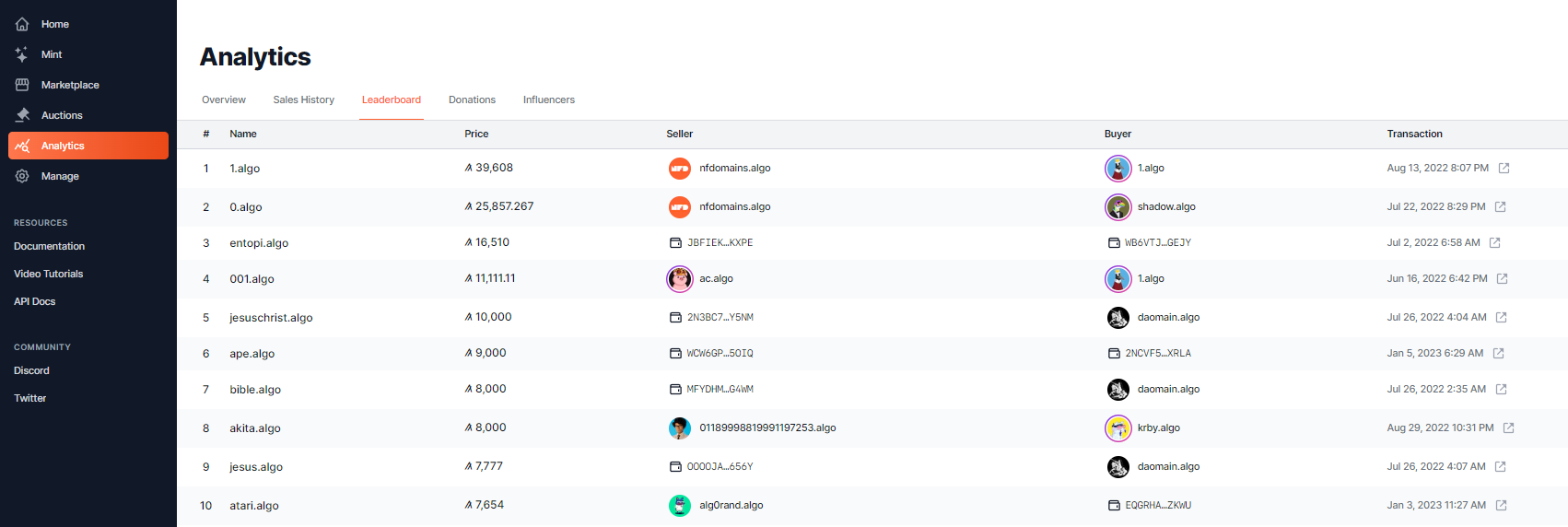
# Analytics

### Overview <a href="#overview" id="overview"></a>

NFDomains analytics track:

* *Primary sales* - newly registered NFDs
* *Secondary sales* - p2p trading of already minted NFDs

<figure><img src="/files/WXi4LbeN60JraBOSiB2l" alt=""><figcaption><p>Analytics Overview</p></figcaption></figure>

***

### Sales History <a href="#sales-history" id="sales-history"></a>

Sales History shows a ledger of all primary sales, secondary sales & transfers.

Use the toggles to filter by sale type.

<figure><img src="/files/SqV3chvT6Bv6g8UVdb8d" alt=""><figcaption><p>Sales History</p></figcaption></figure>

***


# Consensus Leaderboard

To be listed on the Consensus leaderboard, your account needs to be online (participating in consensus). Learn more about participating in consensus [here](https://developer.algorand.org/docs/run-a-node/participate/).

<figure><img src="/files/1cEffUVf3cAEksYffigS" alt=""><figcaption><p>Consensus Leaderboard</p></figcaption></figure>

***


# Donation Leaderboard

Tracking donations is a great example of what NFDs can do. We currently track 7 charities.

For charities we track, we track all payments sent to the specified charity account **from NFD holders** and the accounts they have linked in their NFDs.

<figure><img src="/files/6arT5Hcmk4HDTZqG6tYa" alt=""><figcaption><p>stjude.algo donor leaderboard</p></figcaption></figure>

***

When you make a donation to a tracked charity, a badge will be added to your NFDs profile.

<figure><img src="/files/bVYOFF40UlYbKRssJpOa" alt=""><figcaption><p>pyrneespack.algo profile badges</p></figcaption></figure>

***


# Charities Policy

If you represent and/or know of a charity (501(c)(3) or equivalent) that has an Algorand wallet set-up to accept donations, please send the following information to <admin@txnlab.dev>.

* Charity name & webpage
* Algorand wallet address (or NFD) that is owned by the charity
* Link to webpage that displays proof of their Algorand wallet address
* Best contact information for you / them

If you're a charity and have done all the above steps, please setup your NFD and we'll be in touch soon.

* Set the '**name**' property to your charity name. This will be used in the badge of the tooltip on users' NFDs and on the donations leaderboard page.
* Set the NFDs [*verified primary address*](/platform/manage/setting-metadata-records#verified-addresses) to the same address that you emailed NFDomains. If you can't sign for the account to verify it, set it as an *unverified address.*
* Add a custom '**ein**' field (if US 501c(3) charity) or equivalent for your country \[ie: regnumber] and enter the EIN. See <https://app.nf.domains/name/eff.algo> for an example.
* Set the avatar and banner images to recognizable images for your charity.

This data will will be used Donations Leaderboard page as well as badging on users NFDs when they have donated to this address.

We will do our best to get back to you as soon as possible. Thank you!

***


# Bluesky Leaderboard

To be ranked on the Bluesky Leaderboard:

1. Link and [verify your Bluesky account](/platform/manage/setting-metadata-records/bluesky-verification) in your NFD
2. You must use your NFD as your Bluesky handle (not display name)

The Leaderboard updates roughly once an hour.


# Twitter Leaderboard

To be ranked on the Twitter Leaderboard:

1. Link and [verify your Twitter account](/platform/manage/setting-metadata-records/twitter-verification) in your NFD
2. Set your display name on Twitter to match your NFD

{% hint style="danger" %}
**Your Twitter display name must match your NFD exactly** (aside from capitalization).
{% endhint %}

The Leaderboard updates roughly once an hour.

***


# Resolving NFDs

## Off-Chain

NFDomains provides a public [REST API](https://api-docs.nf.domains/quick-start) for integrators and the community to utilize. It provides read-only methods, as well as methods that modify the NFD contract states (minting / claiming / updating / selling, etc.) which require the caller to sign returned transactions.

The UI for NFDomains uses the very same public API.

{% content-ref url="/spaces/MrFth5XKC1eo3nu9xVre" %}
[NFD API](https://api-docs.nf.domains/)
{% endcontent-ref %}

***

## On-Chain

NFDs can be resolved entirely on-chain. See the [On-Chain Reference](https://api-docs.nf.domains/reference/on-chain-reference/name-and-address-lookup) section of the API docs.

{% content-ref url="/spaces/MrFth5XKC1eo3nu9xVre/pages/zYPL9zevAJiSryAII093" %}
[On-Chain Reference](https://api-docs.nf.domains/reference/on-chain-reference)
{% endcontent-ref %}


# NFD Registry

## Registry Application IDs

These are the Algorand Application IDs of the NFD registry contracts, per Algorand network.

MainNet Deployment: [**760937186**](https://allo.info/application/760937186/programs/)

TestNet Deployment: **84366825**

BetaNet Deployment: **842656530**

***


# New to Algorand?

### **Step 1: Set up a Non-Custodial Algorand Wallet** <a href="#step-2-set-up-a-non-custodial-algorand-wallet" id="step-2-set-up-a-non-custodial-algorand-wallet"></a>

We recommend using the [Pera Wallet](https://perawallet.app/) or [Defly](https://defly.app/).

A non-custodial wallet means YOU control your private keys and no-one else. You’re **solely responsible** for the safe keeping of your private keys. If you lose your private key there is no recovery process.

#### **Pera Wallet / Defly Wallet Set-Up**

1. Once you’ve downloaded Pera / Defly you can choose to add a new account or recover with a passphrase. If you already have an Algorand account, hit “Recover With Passphrase” and enter in your 25-word private key to import your wallet.
2. If you wish to create a new account, press “Add New Account”
3. Next press “Create New Account”
4. WRITE DOWN your seed phrase on paper and store it safely, this is your private key.

Although wallets allow you to create an account without backing up the seed phrase, we highly advise against it!

### **Step 2: Transfer ALGO from an Exchange to a Non-Custodial Wallet** <a href="#step-3-transfer-algo-from-an-exchange-to-a-non-custodial-wallet" id="step-3-transfer-algo-from-an-exchange-to-a-non-custodial-wallet"></a>

On your exchange account:

1. press *Withdraw*
2. Copy your wallet address from Pera or Defly and paste the address in
3. Confirm withdrawal

Now you're free to connect your Pera / Defly wallets to Algorand apps like NFDomains! See our [integrators list](/resources/integrations) to find cool Algorand projects!

***

### NFD Wallet Modal

The NFD Wallet Modal allows users to connect any Algorand-supporting wallet to the application.

{% hint style="info" %}
You can connect multiple accounts at the same time from Defly or Pera Wallet!
{% endhint %}

<figure><img src="/files/yMDfgXPBUTUADFL7WlUH" alt="" width="375"><figcaption><p>Connected via Pera With 3 Accounts</p></figcaption></figure>

***


# Integrations

If you have integrated NFDs in your app, please [DM](https://x.com/NFDomains) us to be added to our integrators list! If you want to integrate NFDs into your app, see the [API Docs](https://api-docs.nf.domains/).

***

### Wallets <a href="#wallets" id="wallets"></a>

* **Defly** (Mobile Wallet w/ Vault Sends) <https://defly.app/>
* **Pera** **Wallet** (Mobile Wallet) - iOS / Android <https://perawallet.app/>
* **Pera Web Wallet** <https://web.perawallet.app/>
* **Coinbase Pay** (Coinbase Integration in NFD Wallet Modal) [https://www.coinbase.com](https://www.coinbase.com/pay-sdk)
  * Can send ALGO or any other supported crypto (BTC, ETH, etc.) referenced in NFDs.
* **DaffiWallet** (Wallet) <https://www.daffi.me/>

### Explorers / Directories <a href="#explorers" id="explorers"></a>

* **Allo** (Blockchain Explorer) <https://allo.info/>
* **Lora** (Blockchain Explorer) <https://lora.algokit.io/>
* **AlgoGazer** (Blockchain Explorer) <https://algogazer.app/>
* **Dappflow** (Blockchain Explorer) <https://app.dappflow.org/explorer/home>
* **Blockpack** (Blockchain Explorer) <https://www.blockpack.app/#/explorer/home>
* **Algo3d** (Block Visualizer) <https://algo3d.live/>
* **Pera Explorer** (Blockchain Explorer) <https://explorer.perawallet.app/>
* **ChainTrail** (dApp activity) <https://chaintrail.io/>
* **BlockStalker** (Data Aggregation) <https://blockstalker.io/>
* **AlgoDirectory** (On-chain Directory) <https://algodirectory.app/>

### DEFI <a href="#defi" id="defi"></a>

* **Pact** (AMM) <https://www.pact.fi/>
* **Tinyman** (AMM) <https://tinyman.org/>
* **Folks Finance** (Borrow/Lend Protocol) <https://folks.finance/>
* **Alammex** (DEX Aggregator) <https://www.alammex.com/>
* **CompX** (Stablecoin xUSD / CDP) <https://app.compx.io/>

### NFT Ecosystem <a href="#nft-ecosystem" id="nft-ecosystem"></a>

* **EXA Market** (NFT Marketplace) <https://exa.market/>
* **ALGOxNFT** (NFT Marketplace) <https://algoxnft.com/>
* **Akita Inu ASA** (Community Token/NFTs) <https://app.akita.community/>
* **Shitty Kitties** (NFT Project) <https://shittykitties.art/profile/search>
* **Rand Gallery** (NFT Marketplace) <https://www.randgallery.com/>
* **Shufl** (NFT Marketplace) [https://shufl.app](https://shufl.app/)
* **Algogems** (NFT Marketplace) <https://www.algogems.io/>
* **Atomixwap** (NFT Swap Tool) <https://atomixwap.xyz/>
* **Fracctal Monsters** (NFT Marketplace & Game) <https://fracctalmonstersnft.com/>
* **AlgoPOAP** (Proof of Attendance Protocol on Algorand) <https://algopoap.com/>
* **Minthol.art** (NFT Explorer) <https://www.minthol.art/>

### Analysis/Tracking <a href="#analysis-tracking" id="analysis-tracking"></a>

* **Asalytic** (NFT Sales & Wallet Explorer) <https://www.asalytic.app/>
* **StakeTaxCSV** (Tax Exporting Software) <https://stake.tax/>
* **ASA STATS** (Portfolio Tracker) <https://www.asastats.com/>
* **Algorand Stats** (Statistics on Governance) [https://www.algorandstats.com](https://www.algorandstats.com/)
* **Asset1** (Portfolio Tracker) <https://asset1.io/asset>

### Activity notifications <a href="#activity-notifications" id="activity-notifications"></a>

* **AlgoScout** (Telegram Bot) <https://algoscout.net/>
* **AlgoScout** (Twitter Bot) <https://x.com/AlgoScout>

### Discord bots <a href="#discord-bots" id="discord-bots"></a>

* **AlgoVerify Bot** (Discord Bot made by @bykewel) <https://www.algoverify.me/>
* **Holders Bot** (Discord Bot made by @HI\_NFT) <https://twitter.com/HowIMakeaNFT>
* **ALGOxNFT Listing / Offer / Sales Bot** <https://discord.gg/eFZCEmcCHQ>
* **Rand Gallery Offer / Sales Bot** <https://discord.gg/fGAZXjqh6S>
* **NFT Discord Pal** <https://twitter.com/NFTDiscordPal>
* **Algo Toolchain** (Discord Bot by[ krby.algo](https://app.nf.domains/name/krby.algo)) <https://discord.gg/DmDY2ynZK5>

### Miscellaneous <a href="#miscellaneous" id="miscellaneous"></a>

* **Codex** (NFT Viewer) <https://algocodexnft.com/>
* **Goanna x MakerX** (ARC19 NFTs) <https://algoanna.makerx.tech/>
* **AlgoSeas** (NFT Game) <https://algoseas.io/marketplace>
* **Karot Hub by Flemish Giants** (NFT Raffles) <https://flemishgiantsnft.com/karot-hub>
* **Shrimpbank.algo** (NFT Raffles) <https://shrimpbank.xyz/>
* **RaffleBees** (NFT Raffles) <https://www.rafflebees.com/>
* **Flipping Algos** (NFT Staking/Raffles) <https://www.flippingalgos.xyz/>
* **Octorand** (Blockchain Game) <https://octorand.com/>
* **Fallen Order** (NFT Staking/Raffles) <https://www.fallenorder.xyz/>
* **Artificial Undead** (NFT Game) <https://artificialundead.com/>
* **Evil Tools** (Creator Tools) <https://evil-tools.thurstober.com/>
* **CUPSTAKES** (Blockchain Game) <https://cupstakes.world/>
* **We Use Algorand** (Get Wallet Age) <https://weusealgorand.net/>
* **Thurstober Digital Studios** (NFT Game) <https://discord.gg/eBZzRJMeXc>
* **Aegir Tactics** (NFT Game) <https://www.aegirtactics.com/>
* **GamePad3** (Gaming) <https://www.gamepad3.com/>
* **AlgoBambino** (NFT Project) <https://linktr.ee/algobambino>
* **Coop.hair** (Community Token/DAO) <https://coop.hair/>
* **Metapost** (On-Chain Discussion Board) <https://metapost.io/>
* **Peperium Faucet** (Community Token) <https://app.peperiumasa.com/peps>

***


# FAQ

## What if I buy an NFD but don’t set a deposit address?[​](https://docs.nf.domains/docs/NFD%20Overview/FAQ#what-if-i-buy-an-nfd-but-dont-set-a-deposit-address) <a href="#what-if-i-buy-an-nfd-but-dont-set-a-deposit-address" id="what-if-i-buy-an-nfd-but-dont-set-a-deposit-address"></a>

The address that will resolve when sending to an NFD ([forward resolution](/#forward-resolution)) will be the *owner address* by defaul&#x74;*,* **unless** a *verified* or *unverified address* are set.

By linking a *verified* or *unverified address* you are selecting that address to receive funds instead of the *owner address.* This address becomes known as the NFD's *primary address*.

By setting a *verified primary address*, integrators, such as block explorers, are able to trust the [reverse resolution](/#reverse-resolution), matching your wallet to your NFD. Without the address being verified, the reverse resolution cannot be trusted as anyone can paste an address in an NFD.

Read more about setting address and metadata records [here](/platform/manage/setting-metadata-records#setting-metadata-records).

***

## Do NFDs have claw back?[​](https://docs.nf.domains/docs/NFD%20Overview/FAQ#will-nfds-have-a-claw-back-feature) <a href="#will-nfds-have-a-claw-back-feature" id="will-nfds-have-a-claw-back-feature"></a>

No.

***

## Are special characters allowed?[​](https://docs.nf.domains/docs/NFD%20Overview/FAQ#are-special-characters-allowed) <a href="#are-special-characters-allowed" id="are-special-characters-allowed"></a>

No. Only A-Z and 0-9.

***

## Are you launching a token?[​](https://docs.nf.domains/docs/NFD%20Overview/FAQ#are-you-launching-a-token) <a href="#are-you-launching-a-token" id="are-you-launching-a-token"></a>

No.

***

## What is NFDs policy on trademarked terms?[​](https://docs.nf.domains/docs/NFD%20Overview/FAQ#what-will-nfds-policy-be-on-trademarked-terms) <a href="#what-will-nfds-policy-be-on-trademarked-terms" id="what-will-nfds-policy-be-on-trademarked-terms"></a>

Please read our Terms of Service here: <https://nf.domains/terms>.

***

## What are the best ways to receive notifications?[​](https://docs.nf.domains/docs/NFD%20Overview/FAQ#what-are-the-best-ways-to-receive-notifications) <a href="#what-are-the-best-ways-to-receive-notifications" id="what-are-the-best-ways-to-receive-notifications"></a>

Follow us on [Twitter](https://twitter.com/NFDomains) and turn on notifications for the most up to date information. Join our [Discord](https://discord.gg/7XcuMTfeZP) for even more updates! To receive notifications when something is sent to your vault, see [here](/platform/manage/assets-and-vaults#notifications).

***

## How do I calculate the price of an NFD in x years?

To calculate the price per year of a name in x number of years:

`Future Price = Current Price × (1 + Inflation Rate)^ Number of Years`

For example: How much will a 4 character name cost in 10 years? (2034)\
$12\*(1+.02)^10 = $14.63

Reference the price table per number of characters in [Mint](/platform/mint). The inflation rate is set at 2%.

***

## What are the benefits of upgrading my V2 NFD to a V3 NFD?

The team behind NFDomains will continue adding new features to NFDs and those features will be exclusively for V3 NFDs.

As of December 2024, the only feature V3 has that previous versions do not have is Bluesky verification.

***


# Links

API Docs: <https://api-docs.nf.domains/>

***

MainNet App: <https://app.nf.domains/>

TestNet App: <https://app.testnet.nf.domains/>

BetaNet App:: <https://app.betanet.nf.domains/>

***

Twitter: <https://x.com/NFDomains>

Discord: <https://discord.gg/5Zu2TmPB2d>

YouTube: <https://www.youtube.com/@nfdomains6065>

Medium: <https://nfdomains.medium.com/>

GitHub: <https://github.com/TxnLab>

TxnLab: <https://www.txnlab.dev/>

***


# Welcome to NFDomains!

NFDomains is the Algorand name service and marketplace for Non-Fungible Domains — unique, human-readable identities for your wallet.

### Guides: Jump right in

Follow our handy guides to get started on the basics as quickly as possible:

{% content-ref url="/pages/Sa8g6CcsmvFMSKziBQdz" %}
[Connect a wallet](/nfd-docs/guides/connect-a-wallet)
{% endcontent-ref %}

{% content-ref url="/pages/GoF0ZAfHCDwEFlIWRYr7" %}
[Mint an NFD](/nfd-docs/guides/mint-an-nfd)
{% endcontent-ref %}

{% content-ref url="/pages/cdgFveIRvX9VFYRU7Jjw" %}
[Manage NFDs](/nfd-docs/guides/manage-nfds)
{% endcontent-ref %}

### Fundamentals: Dive a little deeper

Learn the fundamentals of NFDomains to get a deeper understanding of our main features:

{% content-ref url="/pages/27Ylw6cLfpSUYjSB0W85" %}
[Overview](/nfd-docs/overview)
{% endcontent-ref %}

{% content-ref url="/pages/zYoIPY9JO1QJ7eDwCqV7" %}
[Pricing](/nfd-docs/fundamentals/pricing)
{% endcontent-ref %}

{% content-ref url="/pages/sNEoqRfWTpPIZF9CtMxH" %}
[FAQ](/nfd-docs/fundamentals/faq)
{% endcontent-ref %}

### Terms of Service

{% embed url="<https://nf.domains/terms>" %}

### Privacy Policy

{% embed url="<https://nf.domains/privacy>" %}


# Overview

<table data-card-size="large" data-view="cards"><thead><tr><th></th><th></th><th data-hidden></th><th data-hidden data-card-target data-type="content-ref"></th><th data-hidden data-card-cover data-type="files"></th></tr></thead><tbody><tr><td></td><td>Video Walkthrough of NFDomains</td><td></td><td><a href="https://youtu.be/dCvoaqknx5Y?si=3e5z-MiS2jlSMNXp">https://youtu.be/dCvoaqknx5Y?si=3e5z-MiS2jlSMNXp</a></td><td><a href="/files/tORlNv0XOv8Xu3GuMztX">/files/tORlNv0XOv8Xu3GuMztX</a></td></tr><tr><td></td><td>10 Reasons You Should Own an NFD</td><td></td><td><a href="https://nfdomains.medium.com/10-reasons-you-should-own-an-nfd-28d2ba0457f">https://nfdomains.medium.com/10-reasons-you-should-own-an-nfd-28d2ba0457f</a></td><td><a href="/files/QE7rcf0f8dQdHc4vdVrg">/files/QE7rcf0f8dQdHc4vdVrg</a></td></tr></tbody></table>

## What is an NFD?

Non-fungible domains (NFDs) are unique, digital identities built on Algorand. Unlike traditional DNS domains, which are used to identify and locate resources on the internet, NFDs are used to identify and locate resources on the Algorand blockchain. Users can optionally link any metadata they want, with the ability to verify certain fields like Twitter, Discord, Telegram, etc.&#x20;

### What is a digital identity?

In the context of blockchain, digital identities or domains are used to alias an account address into something more readable like (**silvio.algo**).

Self-chosen digital identities can be particularly powerful, as they allow individuals to define and control their own online identities, rather than being assigned one at birth. This can give users more control over how they are perceived and represented online, and can enable them to create a more personalized and unique online presence.


# Technical Overview

Under the hood, NFDs use smart contracts to associate your wallet address with a readable name, like "**silvio.algo**", allowing you to send and receive crypto using an identity that is easy to type and remember. NFDs are owned not leased. This makes it possible to permanently own your identity without fear of forgetting to register it.

NFDs support forward and reverse lookups, meaning that a name ("silvio.algo") can be used to find its associated wallet addresses, and vice versa. This opens up a host of discoverability and transparency features for blockchain explorers, NFT marketplaces, DAOs, and other web3 services that integrate with NFDs. There are already over 60 platforms using NFDs in place of addresses. Check out our [integrators](/nfd-docs/fundamentals/integrations) page to find them all.

Since every NFD is a distinct contract instance, up to 8KB of metadata (the maximum allowed by Algorand) can be stored in the contract's global state. This enables users to associate profile information, social media, and other data with their NFD.

Each NFD mints its own ARC19 NFT, or "identity token", that represents your NFD's contract state, including all metadata you set. This feature is what enables NFDs to "live" in your wallet, giving you full visibility and ownership of your digital identity. Thanks to the mutable ARC19 standard, the NFT can update its own metadata so that it stays up-to-date. When you sell your NFD all metadata is wiped from both the NFD and NFT.

The maximum length of an NFD is 27 characters. Emoji's, and 1- & 2-character names will be auctioned in reverse auctions, along with some other curated words. Allowed characters are A-Z, 0-9 & an Emoji library. No special characters are allowed. The amount of ALGO will fluctuate based on the ALGO/USD conversion at the time of purchase. There will be no renewal fees for an NFD.

### **Forward and Reverse Name Resolution**

Thanks to the innovative smart contract architecture that underpins NFDs, both forward and reverse lookups are supported. In other words, "silvio.algo" can be used to find a wallet address, and a wallet address can be used to find "silvio.algo".

That might not seem like a big deal, but it unlocks exciting features and usability improvements across a wide range of services.

For example, using reverse lookups, blockchain explorers can display readable names of exchanges and other services in their tables of transactions, DAOs can provide more transparency by showing information about individual participants in governance votes, and NFT artists can display their name, profile and information about their project in any marketplace that integrates with NFDs.

Those are just some of the possibilities. Using our public APIs and smart contracts, we expect developers to discover new and exciting ways to use this powerful combination of bidirectional lookups, unique identity, and user-driven metadata.


# New to Algorand?

How to buy ALGO and send it to a non-custodial wallet

### **Step 1: Buy ALGO**&#x20;

Start by choosing an exchange to buy some ALGO.

Some options: [Coinbase](https://www.coinbase.com/), [Binance](https://www.binance.us/), [FTX](https://ftx.us), [KuCoin](https://www.kucoin.com/)&#x20;

{% hint style="info" %}
Some exchanges have limits on withdrawing crypto. Make sure you’re aware of all the rules and restrictions of the exchange you pick.
{% endhint %}

### **Step 2: Set up a Non-Custodial Algorand Wallet**

We recommend using the [Pera Wallet](<https://perawallet.app/ >) or [Defly](https://defly.app/).\
You can use both at the same time with the same address.&#x20;

{% hint style="info" %}
A non-custodial wallet means YOU control your private keys and no-one else. You’re solely responsible for the safe keeping of your private keys. If you lose your private key there is no recovery process.
{% endhint %}

**Pera Wallet**

1. Once you’ve downloaded Pera you can choose to add a new account or recover with a passphrase. If you’ve already created a wallet with MyAlgo, hit “Recover With Passphrase” and enter in your 25-word private key to import your wallet.
2. If you wish to create a new account, press “Add New Account”
3. Next press “Create New Account”
4. WRITE DOWN your seed phrase on paper and store it safely, this is your private key.

### **Step 3: Transfer ALGO from an Exchange to a Non-Custodial Wallet**

On your exchange account, press “Withdraw”. Copy your wallet address from the Pera Wallet or defly, highlighted in yellow, and paste the address in. This will transfer your ALGO from the centralized exchanges wallet to your wallet. Now you're free to connect your Pera / Defly wallets to Algorand dApps like NFDomains!&#x20;

![Pera Wallet ](https://lh5.googleusercontent.com/mV8pPw5X74JigX8MHMee2ENWVYueYaQpFcCeSlRk9kpQy6hleVzA4K83pihgJojlWnIqgcARER4E2eKOCY2Ui1KZgQJ2N13tea8zKOY9V45AC4VuWtQFnQmmcq5k4MOSpqAr6VXTp_GIW6SqOA)

\
&#x20;&#x20;


# Connect a wallet

Connect your wallet at the top right of the page using Pera, Defly or any other Algorand wallet via wallet connect. You're able to use a Ledger device to mint & manage NFDs.

**You're able to connect multiple wallets (accounts) at the same time while using Pera or Defly.** This will allow you to verify multiple addresses in one NFD, and allow you to quickly manage all of your wallets without needing to disconnect and reconnect.

{% embed url="<https://youtu.be/dCvoaqknx5Y?si=Lco5bCErRbensQdO&t=100>" %}
Wallet Menu Demo
{% endembed %}

### Don't have a wallet?

Create an Algorand wallet using the links below:

{% embed url="<https://defly.app/>" %}

{% embed url="<https://perawallet.app/>" %}

{% hint style="danger" %}
Make sure you write down your seed phrase and store it safely. Do not take a screenshot of your seed phrase or store it in the cloud. Your seed phrase is the only recovery mechanism for your wallet.
{% endhint %}


# Wallet Menu

### Features

* Ability to connect with any Algorand wallet, and quickly switch between accounts. (**When connecting your wallet to NFDs, connect multiple accounts at once by selecting the accounts you'd like to connect in either Pera or Defly, whichever you're connecting with. This enables the ability to seamlessly switch between accounts, as well as verify multiple addresses in the same NFD.)**

<figure><img src="/files/mntX5laDCdK4cyssmwM5" alt=""><figcaption><p>Two Accounts Connected Through Pera</p></figcaption></figure>

* Easily navigate to your primary NFD by clicking on the PFP.&#x20;
* Quickly change your primary NFD with the 'Set Primary NFD' dropdown.
* Send assets from any of your accounts to any account with the send feature.

<figure><img src="/files/RHRQxRaVZ120D3n58lz2" alt=""><figcaption><p>NFD Wallet Menu</p></figcaption></figure>

<figure><img src="/files/tPl9hVs8fpDrqbv3iJYp" alt=""><figcaption><p>Sending to an NFDs Primary Address</p></figcaption></figure>

<figure><img src="/files/EMVN39dKVkCYn9jClua7" alt=""><figcaption><p>Sending to an NFDs Vault</p></figcaption></figure>

Find more about managing Assets and Vaults here [Assets & Vaults](/nfd-docs/guides/manage-nfds/assets-and-vaults)


# Mint an NFD

Minting is purchasing a 'new' NFD, one that has not previously been created.

### How to Mint an NFD

On the 'Mint' tab, search for anything you'd like. The NFD must be an alphanumeric containing letters A-Z and/or numbers 0-9, no special characters.

You are able to mint using a Ledger device. Make sure you're updated to the latest firmware as well as the latest Algorand Ledger app. You may also need to update your Ledger Live app.

Information about pricing can be found [here](/nfd-docs/fundamentals/pricing).

{% embed url="<https://youtu.be/dCvoaqknx5Y?si=vH_ShPfLrg-S_nId&t=152>" %}
Minting Demo
{% endembed %}

You will need to sign two separate transaction groups to Mint & Claim your NFD.

1. Mint and purchase
2. Claim

If you mint a name but don't claim it, the name will be sitting in your accounts '**Reserved**' tab found on the Manage page.

<figure><img src="/files/oUFC6dDErbZiNTTebWF6" alt=""><figcaption><p>Manage -> Reserved</p></figcaption></figure>


# Search

The search bar at the top of the screen can be accessed with hotkey  **`/`**

This view has the 'send' feature which when selected will pop the send modal. Find more on the send modal in [Wallet Menu](/nfd-docs/guides/connect-a-wallet/wallet-menu)

Any verified Social Media accounts the user has will be displayed in the Social links field as an additional verification check before sending assets. This should help users know they're sending to the correct NFD.

<figure><img src="/files/cjEmX4qM8ntD3Puk9rMz" alt=""><figcaption><p>Search for an existing NFD</p></figcaption></figure>

<figure><img src="/files/9uNZrYUq74o1Vkg2DVf8" alt=""><figcaption><p>Search for an NFD that hasn't been minted</p></figcaption></figure>


# Marketplace

Secondary market for NFDs

### Overview

The NFD Marketplace is the place to buy & sell NFDs which have already been minted.

### Buy on the Marketplace

{% embed url="<https://youtu.be/dCvoaqknx5Y?t=309&si=Wqo_VpJy7LgLh_Ch>" %}
Buying on the Marketplace
{% endembed %}

If you find an NFD you're interested in purchasing you can either 'Buy now' or 'Make an offer'. You'll see the user selling the NFD and if they have social media information filled in you could message them to negotiate.

When you make an offer, it's simply a note to the owner saying 'I am willing to pay X'. \
If the owner is willing to accept your offer, they can change the sale price and reserve the NFD for your address.\
&#x20;\
If you make an offer and it's accepted, or if someone reserves an NFD for you (same thing), you will find the NFD reserved in your 'Manage' tab where you will need to claim it.

### Sell on the Marketplace

Once you own an NFD you're able to resell it through the NFD Marketplace by selecting 'List for sale' on any NFD you own.

{% embed url="<https://youtu.be/dCvoaqknx5Y?t=1213&si=J4p0-KY223Zakhkh>" %}
Selling on the Marketplace
{% endembed %}

{% hint style="info" %}
Be aware that putting an NFD up for sale will **remove all metadata** you've attached, including verified fields.
{% endhint %}

You're able to reserve the NFD for sale for a particular address by setting a sale price as well as the wallet address. You're also able to transfer an NFD and optionally cover the fee to claim. There is always a 1 ALGO minimum when transferring names.&#x20;

NFDomains takes a **5% commission** on all secondary sales.


# NFD Profile

Everything about an NFD Profile

On every NFD profile you're able to see lots of data. On the header you're able to see name, bio, verified social medias, and [influencer](/nfd-docs/guides/analytics/influencer-leaderboard) & [donation](/nfd-docs/guides/analytics/donations-leaderboard) badges.

In preferences (edit -> preferences) users are able to toggle the influencer badge on or off.

Information is broken up into different tabs on the profile - Details, Assets, Segments & More.

<figure><img src="/files/WIRjbnWKxt7Yv56sQyI0" alt=""><figcaption><p>Example Profile </p></figcaption></figure>

### Details

All metadata that is added to an NFD is visible in the 'Details' tab. This includes name, bio, verified & unverified addresses, social media links, email, websites and more. To learn more visit[Manage NFDs](/nfd-docs/guides/manage-nfds)

Verified social media accounts show up at the top of the profile view under 'Verified'.

### Assets

The NFD Assets tab aggregates all of the users NFTs and tokens between all linked accounts under one view. This is a powerful tool for creators as they can self identify their collections. Marketplaces can rely on creators self labeling their collections via NFDs.

You can toggle between Owned, For Sale & Creations.

The For Sale tab only displays NFTs listed for sale on Rand Gallery, ALGOxNFT and Exa.market.

Find more on the Assets tab in [Assets & Vaults](/nfd-docs/guides/manage-nfds/assets-and-vaults)

<figure><img src="/files/YAcOsBNG6kD5m3j0iDQk" alt=""><figcaption><p>Owned Assets Tab</p></figcaption></figure>

### Segments

Segments are distinct, sovereign NFDs that can be minted off root NFDs, adding an additional level that is separated by a “.”

Commonly known as 'sub-domains'.

Read all about Segments in [Segments](/nfd-docs/guides/manage-nfds/segments).

### Details (Sales, Offers & History)

Sales shows a chronological list of sales & transfers of the NFD.&#x20;

<figure><img src="/files/0VzUnyMM8GVjdQxalxif" alt=""><figcaption><p>Sales History</p></figcaption></figure>

Offers shows a chronological list of all offers received for the NFD.

<figure><img src="/files/AJ278QioxUzq0diL6jFv" alt=""><figcaption><p>Offers History</p></figcaption></figure>

History shows a detailed chronological list of every update made to an NFD. This shows sales history and changes to the metadata.

<figure><img src="/files/g1kMfwXh2PTMSxltaJsA" alt=""><figcaption><p>History</p></figcaption></figure>


# Manage NFDs

{% embed url="<https://youtu.be/dCvoaqknx5Y?t=400&si=aVP9KhcV7RQ-etCo>" %}
Managing NFDs
{% endembed %}


# Setting Addresses

{% hint style="info" %}
The owner address and the linked addresses are **independent**. This is crucial to understanding how NFD name resolution works.
{% endhint %}

{% embed url="<https://youtu.be/dCvoaqknx5Y?t=400&si=aVP9KhcV7RQ-etCo>" %}
Setting Unverified and Verified Addresses
{% endembed %}

To link addresses, navigate to the profile page of your NFD and select Edit.

<figure><img src="/files/MZv4oHEAz8xFovN5ofa9" alt=""><figcaption><p>Editing Addresses</p></figcaption></figure>

### Verified Addresses

By default, the wallet address that will resolve when sending to an NFD will be the owner address **unless** a verified address or unverified address are set. By setting a verified address or an unverified address you are selecting that wallet to receive funds instead of the owners.&#x20;

By setting a verified deposit address, integrators are able to rely on this for matching your wallet to an NFD (reverse lookup). Without verifying the address (signing with the keys), the account cannot be fully trusted as anyone could just paste that address in and that could potentially be abused.&#x20;

If you wish to connect multiple verified addresses to one NFD you need to use a wallet that lets you select multiple accounts at the same time such as  Pera or Defly. To verify multiple addresses we require users to sign for both account A and account B in the same transaction group.

### Unverified Addresses

To set an unverified address, paste in the wallet address in the 'Addresses' 'Unverified' tab while editing the NFD. Unverified addresses are not treated with the same trust level as verified addresses. However, it's important unverified addresses exist so accounts like a custodial wallet or smart contract can be set as an NFD and work for deposits only.

### Primary NFD

Linking the same account to multiple NFDs may cause confusion as to which NFD you want displayed when doing a reverse lookup. To choose which NFD gets displayed for your address, you can select a Primary NFD for your account in the drop-down menu.

<figure><img src="/files/5XEXEiGglUaot3ZMc8as" alt=""><figcaption></figcaption></figure>

One account could own thousands of NFDs, but that doesn't mean you want to or need to set the deposit address for them. You only want to set the deposit address to your NFD if you intend to use it for transactions, and you want it to show up when someone looks up your wallet address.&#x20;


# Setting Metadata

Find the "Edit" option on an NFDs profile page (must be connected to the dApp to see the option).

{% embed url="<https://youtu.be/dCvoaqknx5Y?t=906&si=azNCZ0faFCbIJnkH>" %}

To set an avatar & banner, click the Avatar circle or the Banner square and upload an image or select an NFT from your gallery. Your NFT gallery displays all of your NFTs, aggregated across all associated accounts (NFD vault, Owner, & any linked verified accounts).&#x20;

Fill in any metadata you would like to add and then scroll to the bottom and select 'Update metadata' to save these records in your NFD.&#x20;

Certain metadata fields can be verified, find more on this in [Verifying Metadata](/nfd-docs/guides/manage-nfds/verifying-metadata)

{% hint style="info" %}
Please remember all information is fully public. Do not enter sensitive personal info.
{% endhint %}


# Verifying Metadata

Once records are set in the appropriate metadata fields in the 'Metadata' tab, you're able to verify this data in the 'Verification' tab.

Twitter, Web Domain, Email, Avatar & Banner can be verified through this page. Telegram and Discord both require users to interact with NFDs bots to verify.

{% embed url="<https://youtu.be/dCvoaqknx5Y?t=719&si=ewIzDs9PzqIb-JMN>" %}
Verifying Metadata
{% endembed %}


# Twitter Verification

To verify Twitter, enter your handle into the Twitter field of your NFD (see [Setting Metadata](/nfd-docs/guides/manage-nfds/setting-metadata)) & update it. Once the field is updated, you will see a 'verify' option show up in the Verification tab, as well as in the Metadata tab below the Twitter field. Tweet out the verification challenge and if successful your Twitter handle will move into a different, Twitter Verified field and show up at the top of your profile.

To be ranked on the Influencer Leaderboard, see [Analytics](/nfd-docs/guides/analytics/influencer-leaderboard).

{% embed url="<https://youtu.be/qh_3ZPdmav8>" %}
Twitter Verification Tutorial
{% endembed %}


# Discord Verification

To verify Discord you must interact with our Discord bot in the **#verify-nfd** channel and follow the instructions.

[Discord Verification Channel](https://discord.gg/TazX7rFRu3)

{% embed url="<https://youtu.be/GLgmlUxE97A>" %}


# Telegram Verification

To verify Telegram you must interact with our Telegram bot which can be found in edit -> verifications -> follow instructions.

{% embed url="<https://youtu.be/snAc0lDtP_k>" %}
Verifying Telegram Tutorial
{% endembed %}

[Telegram Verify Bot](https://t.me/nfd_verify_bot)


# Github Verification

## Personal Verification

To verify Github, enter your handle into the Github field of your NFD (see [Setting Metadata](/nfd-docs/guides/manage-nfds/setting-metadata)) & update it.&#x20;

Once the field is updated, you will see a 'verify' option show up in the Verification tab, as well as in the Metadata tab below the Github field.&#x20;

<figure><img src="/files/VTJg5rb3UxDtDGcav7I8" alt=""><figcaption><p>Verifying from Edit -> metadata page</p></figcaption></figure>

<figure><img src="/files/F6g7cDTqGKbOIhL3IKQH" alt=""><figcaption><p>Verifying from Edit -> Verification page</p></figcaption></figure>

When you click verify, you'll see a dialog to 'start verification'.  Click that.  You'll next see a modal like this:

<figure><img src="/files/JGudcoyRaJ41F46wrHzP" alt=""><figcaption></figcaption></figure>

Follow the directions, creating a **PUBLIC** gist for your user with the contents as specified.  Once completed, come back to the NFD page and click Confirm. &#x20;

If your handle is an organization, do NOT create a gist but follow the changes below.

## Organization Verification

Follow the directions above but instead of creating a gist, set the nfd-verify:xxx challenge value into a root file called "**.nfd**" in the **.github** Organization Repo for your organization.

If you don't already have a .github repo, one easy way of doing it is to click the 'create readme' link on the right of your organizations github profile page.  You can also  click the '+' dropdown menu and click New Repository - naming it .github.

<figure><img src="/files/Cd0VsfJD765lBtJDAR9X" alt=""><figcaption><p>Clicking 'create a README file' will create your .github repo</p></figcaption></figure>

If you choose the 'New Repository' route.  Here is an example - **notice it must be public** !

<figure><img src="/files/4GE7EMRRsMXOE4Ug662R" alt=""><figcaption><p>Add new .github repo to Organization</p></figcaption></figure>

If you create the empty .github repo like above, then click the 'creating a new file' link.

<figure><img src="/files/nrVUcae4sW2A5u44IrGq" alt=""><figcaption></figcaption></figure>

followed by naming the file '.nfd' and pasting in the challenge:

<figure><img src="/files/TSHom9bloQJkZRcn2TrW" alt=""><figcaption></figcaption></figure>

Commit the changes and then switch back to the NFD page and click Confirm.

Your Organization's Github Handle will now be verified.


# Transfer an NFD

To transfer an NFD navigate to the NFD profile page and hit '**Transfer**'

<figure><img src="/files/gjbHwubHZLomv0UZCKeR" alt=""><figcaption><p>NFD profile page when connected as the owner</p></figcaption></figure>

Once on the transfer page enter the address or NFD of the recipient and then select '**Transfer**'.\
You can optionally gift the NFD by selecting '**Give NFD as a gift**'. This will transfer the recipient 1.108 ALGO to cover the cost of claiming the NFD. The recipient will see the NFD waiting for them in the '**Reserved**' tab on their '**Manage**' page.

<figure><img src="/files/Vv2XoCuIiGjLIzsFE3WE" alt=""><figcaption><p>Transferring an NFD</p></figcaption></figure>


# Upgrade Smart Contract

### Overview of Upgradable Smart Contracts

\
NFDs are upgradable and NFDomains plans to take full-advantage of this as Algorand releases new features. NFDomains will push updates along with update notes on what has been changed and why.

NFDomains only plans to use a force upgrade if there's a TOS violation or a security vulnerability. Otherwise, users will need to update their contracts manually as new features are released.

### Upgrade Smart Contract

To upgrade your smart contract, navigate to an owned NFD -> Edit -> Smart Contract -> Upgrade Contract.

<figure><img src="/files/CtlT7wJe0d2ys5LN6hl7" alt=""><figcaption></figcaption></figure>

### Lock / Unlock Smart Contract

To allow for maximum user control, users can toggle between locking and unlocking their NFD to upgrades. If you lock your contract, NFDomains will be unable to upgrade your contract. By default your NFD will come unlocked. To lock your contract, toggle 'Contract is unlocked' to locked.


# Algo.xyz

Users are able to use the algo.xyz domain to display their NFD profile, NFT gallery, NFT creations, or whatever webpage they'd like to redirect to. To resolve an NFD via DNS, users simply need to append **.xyz** at the end of the name. (silvio.algo -> silvio.algo.xyz)

The default option will redirect to your profile page. Users have the option to easily change that to their NFT gallery instead. If you want to redirect to an entirely different page, paste the URL in the "Redirect to" field.

To confirm your changes make sure to hit "Update URL" in the bottom right corner.\
\
For segments you have to use the following format for redirects: algo.xyz/segment.root&#x20;

<figure><img src="/files/VzuqPuPoHK7LORwlQG8S" alt=""><figcaption><p>Where to set an algo.xyz Redirect</p></figcaption></figure>


# Segments

Definition: Distinct, sovereign NFDs that can be minted off root NFDs, adding an additional level that is separated by a “.”

{% embed url="<https://youtu.be/dCvoaqknx5Y?t=231&si=2NunfZv3LFwO1GEa>" %}
Minting a Segment
{% endembed %}

{% hint style="info" %}
Minimum contract version 1.16, see [Lock or Unlock Contract](/nfd-docs/guides/manage-nfds/upgrade-smart-contract)
{% endhint %}

### The Basics

[Roots ](https://docs.nf.domains/nfd-docs/guides/manage-nfds/pages/sNEoqRfWTpPIZF9CtMxH#what-is-a-root-vs.-a-segment)can mint an unlimited number of segments, but segments cannot mint other segments.

Root NFDs have two segmenting states, locked & unlocked. This defines who is allowed to mint segments.

Example : nfd.algo (Root) -> can then create pooof.nfd.algo (segment off nfd.algo)

### Locked vs. Unlocked

When you have a root NFD segmenting will be locked by default. This means that only you as the owner of the root can mint segments off the NFD. If you want to open your NFD so that anyone can mint a segment navigate to the 'Edit' Segments tab. There you are able to unlock your NFD and set a sale price.

<figure><img src="/files/ZMXcJxvd7iEFfLLponjL" alt=""><figcaption><p>Click on 'unlocked' to navigate to the Segments settings page </p></figcaption></figure>

<figure><img src="/files/f4o64F8MatuuTushuFDg" alt=""><figcaption><p>On the Segments settings page you can lock / unlock your NFD</p></figcaption></figure>

You can also keep it locked, mint some segments for yourself, and then unlock it for others to mint. The root owner has control over whether the NFD is locked or unlocked to segmenting, but if unlocked and segments get minted, the owner of the root will have NO control over those segments.

If the NFD is locked and the owner mints the segments themselves, they will have full control over the segments and can transfer them or sell them if they wish. Resale of minted segments will have the same 5% commission enforced.

### Costs

There are two costs associated with minting a segment, the Platform Fee & the [Carry Cost](/nfd-docs/fundamentals/faq#what-is-carry-cost).&#x20;

If you're minting a segment off a root you don't own, you will likely also pay a premium set by the root owner.

The **platform fee** will be **$4**, or **25%** of the sales price, whichever is greater. The platform fee scales down as more segments get minted. See Fee Tiers below.

The [**carry cost**](/nfd-docs/fundamentals/faq#what-is-carry-cost) for an NFD is always 5 ALGO and paid by whoever mints the NFD.

For open segments, the owner of the root gets to set the price for segmenting and keeps a portion of the proceeds from segment sales.&#x20;

To understand how the $4 or 25% Platform Fee breaks down, see an example below.

Example:

| Segment Sale Price (USD) | Platform Fee (USD) | Owner Proceeds (USD) |
| ------------------------ | ------------------ | -------------------- |
| 15                       | 4                  | 11                   |
| 16                       | 4                  | 12                   |
| 17                       | 4.25               | 12.75                |
| 18                       | 4.50               | 13.50                |

### Fee Tiers (only for self minted segments)

The more segments that get minted from a root, the cheaper the platform fee per segment becomes. This is to account for large projects & organizations that plan to utilize segments. This only works when the segments are minted by the owner of the root.

| Number Minted | Discount Rate | Price (USD) |
| ------------- | ------------- | ----------- |
|               |               | 4           |
| 10            | 20%           | 3.20        |
| 100           | 30%           | 2.80        |
| 1,000         | 40%           | 2.40        |
| 10,000        | 50%           | 2.00        |
| 100,000       | 60%           | 1.60        |
| 1,000,000     | 70%           | 1.20        |


# Assets & Vaults

{% embed url="<https://youtu.be/dCvoaqknx5Y?si=jg8DEArUi26VyfJg&t=984>" %}

### Assets <a href="#cc1e" id="cc1e"></a>

The Assets Owned tab aggregates NFTs and Tokens across all your accounts (owner account, linked accounts, and vault). If your NFTs are in your Vault you’ll see a ‘Vaulted’ icon on the asset in your Assets Owned tab. You're able to filter based on a specific account, or a specific type of Asset (NFTs, NFDs and Tokens).

<figure><img src="/files/Vn8jbLT4Q4thl1oBEMOm" alt=""><figcaption><p>Owned View - Shows Assets Aggregated Across all Accounts</p></figcaption></figure>

### What is a Vault? <a href="#cc1e" id="cc1e"></a>

Vaults are distinct Algorand accounts associated with an NFD. These accounts have the ability to auto opt-in to assets that are sent to it.

### What’s an Opt-In? <a href="#cc1e" id="cc1e"></a>

Before an Algorand account can receive a specific asset it must opt-in to receive it. While this is a nice feature to prevent unwanted assets from entering your wallet, it adds friction when trying to transact new assets. This is a major issue for airdrops and giveaways, but also for regular users sending each other NFTs which all have unique ASA IDs.

### NFD Vault Features <a href="#e96b" id="e96b"></a>

Newly minted NFDs will have Vault functionality. **Existing NFDs will need to be upgraded** **to the latest contract version** to enable Vaults.&#x20;

See [Upgrade Smart Contract](/nfd-docs/guides/manage-nfds/upgrade-smart-contract) to find learn how to upgrade your NFDs contract.

**Auto opt-in / opt-out**

Vaults will auto opt-in to any asset they are sent, and they will also auto opt-out when you send an asset resulting in a zero balance which helps manage the minimum balance requirement (MBR) of the account. The sender pays the .1 ALGO MBR and does not get it back, preventing the spamming of unwanted assets by adding a cost. **Vaults default to being unlocked.** The Vault can be unlocked or locked at will, offering a high degree of control to the user. Don’t want random tokens showing up? Keep your Vault locked! Find the toggle in your Assets -> Vault page, or in Edit -> Vault.

**Asset Management**

NFD Vaults offer seamless asset management, allowing users to transfer assets between their accounts and Vault, or to any other NFD account or its Vault. You can also access the Send feature through the [Wallet Menu](/nfd-docs/guides/connect-a-wallet/wallet-menu) and through [Search](/nfd-docs/guides/search).

<figure><img src="/files/ypYqxBVL6vfVIRcRYEvt" alt=""><figcaption><p>Vault View</p></figcaption></figure>

### Lock & Unlock Vault

Newly minted or upgraded NFDs come with unlocked Vaults. If you wish to lock your NFD, there is a toggle on the Assets -> Vault page to lock or unlock.

Alternatively, you can go into an owned NFD and go to Edit -> Vault -> toggle locked or unlocked -> Update Vault.&#x20;

<figure><img src="/files/Kcaq532ZTW4SPVHDU9R9" alt=""><figcaption><p>Toggled to Unlocked Vault</p></figcaption></figure>

<figure><img src="/files/XKkaid031gjpYSrThhrB" alt=""><figcaption><p>Toggled to Locked Vault</p></figcaption></figure>

<figure><img src="/files/AFwxLyPk2etyCTG8IDmM" alt=""><figcaption><p>Edit -> Vault -> Lock/Unlock Toggle</p></figcaption></figure>

### Send to a Vault / From a Vault

Currently to utilize Vaults you will need to do so within the NFDs app. The wallets have not integrated Vaults yet so sending from a wallet to a Vault will not currently work!

1\) Generic 'Send' can be found in the Wallet Modal at the top right of your screen, or through the search bar when looking for a name. You can send to any NFD or any NFDs Vault as long as they have an upgraded contract and an unlocked Vault.&#x20;

<figure><img src="/files/aYXE2W7DLfcvccW46FMy" alt=""><figcaption><p>Search</p></figcaption></figure>

&#x20;

<figure><img src="/files/2FwbtsDDRf71D06qcNgP" alt=""><figcaption><p>Wallet Modal</p></figcaption></figure>

2\) From the Assets Owned or Vault page of an NFD, click the three little dots for options.

You can Move to Vault, Move to Deposit Account, and Send from this menu.

<figure><img src="/files/3MRcu71GxYXYJwAGALOe" alt=""><figcaption><p>Owned Tab of an Owned NFD</p></figcaption></figure>

<figure><img src="/files/V3dU8ixfNNDcEjoLsm1V" alt=""><figcaption><p>Expand the Three Dots for Additional Options</p></figcaption></figure>

### Transfer an NFD with Contents

The Vault is the NFD, meaning that all assets travel with it. This feature enables users to sell or transfer their NFD along with all of its vaulted assets, facilitating easy trading of large NFT collections. Be aware of this when selling an NFD!&#x20;

<figure><img src="/files/jfhdN0UtEWDCrh2ZbpX8" alt=""><figcaption><p>Vault Contains Assets Warning When Selling an NFD</p></figcaption></figure>

<figure><img src="/files/YZtiMQhApvlWliTBh3Kq" alt=""><figcaption><p>View a For Sale NFDs Vault Contents</p></figcaption></figure>

### Notifications

To get notifications of assets sent to your Vault, add the Vault address as a 'Watch Account' in Pera or Defly and ensure notifications are turned on.&#x20;

Find the Vault address in your NFDs Details.

<figure><img src="/files/b99NYiAZud6KfR2MeGuX" alt=""><figcaption><p>NFD Profile Page</p></figcaption></figure>

To add a watch account in Pera, hit the `+` icon -> I want to create an account -> Add watch account -> Paste in the Vault address

To add a watch account in Defly, hit the `+` icon -> Contact -> Paste in the Vault Address


# Analytics

### Overview

NFDomains has two types of sales that it tracks on the Analytics Overview.

Primary sales are newly minted NFDs and curated auctions.

Secondary sales are p2p trading of already minted NFDs.

<figure><img src="/files/oMSQtGhYdfJI2SSDycyB" alt=""><figcaption><p>Analytics Overview</p></figcaption></figure>

### Sales History

Sales History shows a ledger of all primary sales, secondary sales & transfers. It shows the amount in ALGO, the buyer, the seller, and a link to the transaction.

&#x20;You can use the toggles to filter by sale type.

<figure><img src="/files/sw5urSs5oA5z0bRziWHu" alt=""><figcaption><p>Sales History</p></figcaption></figure>

###


# Sales Leaderboard

The Sales Leaderboard displays the 20 highest sales of all time in ALGO.

<figure><img src="/files/0fhkyoTGI1KqMyyjJjCP" alt=""><figcaption><p>Sales Leaderboard</p></figcaption></figure>


# Influencer Leaderboard

If you would like to be ranked on the Influencer Leaderboard, once your [Twitter is verified](/nfd-docs/guides/manage-nfds/verifying-metadata/twitter-verification), set your display name on to match your NFD. The twitter name must match your NFD exactly (aside from capitalization).&#x20;

For example, if your NFD is **trilemma.algo**, then your Twitter name needs to be set to trilemma.algo as well (Different case is fine - ie: Trilemma, TRIlemma, etc).  This is your twitter name, not your twitter handle.  The handle never needs to change. &#x20;

The Leaderboard will update roughly once an hour!

<figure><img src="/files/r3LXsFlp1gbFhDzcVMpy" alt=""><figcaption><p>Top 10 Influencers by Twitter Follower Count</p></figcaption></figure>


# Donations Leaderboard

We think tracking donations via NFDs is a great example of what NFDs can do!&#x20;

For charities we track, we will track all payments sent to the specified charity account **from NFD holders** and the accounts they have linked in their NFDs.

There are currently 7 charities recognized by NFDs. You can see all 6 by clicking on the dropdown menu on the right-hand side of the screen.

<figure><img src="/files/RwPu0DL54r8adCLbU7K7" alt=""><figcaption><p>Top 10 Donators to EFF</p></figcaption></figure>

When you make a donation to a charity that NFDs tracks a donation badge will be added to your NFDs profile.

<figure><img src="/files/jGbEGk6h5eMHIuY98kxf" alt=""><figcaption><p>Goanna Profile View Showing Donation Badges</p></figcaption></figure>


# Charities Policy

If you represent and/or know of a charity (501(c)(3) or equivalent) that has an Algorand wallet set-up to accept donations, please send the following information to <admin@txnlab.dev>

1. Charity name & webpage
2. Algorand wallet address (or NFD) that is owned by the charity
3. Link to webpage that displays proof of their Algorand wallet address
4. Best contact information for you / them

If you're a charity and have done all the above steps, please setup your NFD and we'll be in touch soon.&#x20;

Set the '**name**' property to your charity name.  This will be used in the badge of the tooltip on users' NFDs and on the donations leaderboard page.

Set the deposit account in the NFD the same as the account provided to NFDomains.  They should match.

Add a custom '**ein**' field (if US 501c(3) charity) or equivalent for your country \[ie: regnumber] and enter the EIN.  See <https://app.nf.domains/name/eff.algo> for an example.

Set the avatar and banner images to recognizable images for your charity. &#x20;

This data will will be used Donations Leaderboard page as well as badging on users NFDs when they have donated to this address.

We will do our best to get back to you as soon as possible. Thank you!


# Integrations

Current Count: 64

### Ecosystem Highlights

<table data-view="cards"><thead><tr><th data-card-target data-type="content-ref"></th><th data-hidden></th><th data-hidden></th><th data-hidden></th><th data-hidden data-card-cover data-type="files"></th></tr></thead><tbody><tr><td><a href="https://perawallet.app/">https://perawallet.app/</a></td><td></td><td></td><td></td><td><a href="/files/9zHw2PXoxKxfPHfvnXrU">/files/9zHw2PXoxKxfPHfvnXrU</a></td></tr><tr><td><a href="https://defly.app/">https://defly.app/</a></td><td></td><td></td><td></td><td><a href="/files/Emf4EyzTy2yxpgUW8yKV">/files/Emf4EyzTy2yxpgUW8yKV</a></td></tr><tr><td><a href="https://www.daffione.com/">https://www.daffione.com/</a></td><td></td><td></td><td></td><td><a href="/files/OS3FURbzmwA2jOmhup2K">/files/OS3FURbzmwA2jOmhup2K</a></td></tr><tr><td><a href="https://allo.info/">https://allo.info/</a></td><td></td><td></td><td></td><td><a href="/files/HoVkrbh46BtEM1mqLeHX">/files/HoVkrbh46BtEM1mqLeHX</a></td></tr><tr><td><a href="https://explorer.perawallet.app/">https://explorer.perawallet.app/</a></td><td></td><td></td><td></td><td><a href="/files/PSaPa4VcmksgMpUuGFLb">/files/PSaPa4VcmksgMpUuGFLb</a></td></tr><tr><td><a href="https://algo3d.live/">https://algo3d.live/</a></td><td></td><td></td><td></td><td><a href="/files/7wENEhWhZizpaws9QZG6">/files/7wENEhWhZizpaws9QZG6</a></td></tr><tr><td><a href="https://app.folks.finance/">https://app.folks.finance/</a></td><td></td><td></td><td></td><td><a href="/files/xUpUge9ajkdZkh536R2w">/files/xUpUge9ajkdZkh536R2w</a></td></tr><tr><td><a href="https://tinyman.org/">https://tinyman.org/</a></td><td></td><td></td><td></td><td><a href="/files/Eki3vPaEbYIRrohPb7aw">/files/Eki3vPaEbYIRrohPb7aw</a></td></tr><tr><td><a href="https://www.nftexplorer.app/">https://www.nftexplorer.app/</a></td><td></td><td></td><td></td><td><a href="/files/A1nvtZY2E3nqXOoeOMZx">/files/A1nvtZY2E3nqXOoeOMZx</a></td></tr><tr><td><a href="https://www.randgallery.com/algo-collection/">https://www.randgallery.com/algo-collection/</a></td><td></td><td></td><td></td><td><a href="/files/YEzcHBR5eVESdQH0AA6A">/files/YEzcHBR5eVESdQH0AA6A</a></td></tr><tr><td><a href="https://algoxnft.com/">https://algoxnft.com/</a></td><td></td><td></td><td></td><td><a href="/files/x0hr4NUO24SQKzpsn7cW">/files/x0hr4NUO24SQKzpsn7cW</a></td></tr><tr><td><a href="https://www.minthol.art/">https://www.minthol.art/</a></td><td></td><td></td><td></td><td><a href="/files/VA8rse4awXpieqX6a5Jk">/files/VA8rse4awXpieqX6a5Jk</a></td></tr></tbody></table>

This list is constantly evolving so this list should not be considered to include ALL integrations.

If you know of an integration missing from this list, please reach out in our discord.

### Wallets

* **Pera** **Wallet** (Mobile Wallet) - iOS / Android  <https://perawallet.app/>&#x20;
* **Pera Web Wallet** <https://web.perawallet.app/>
* **Defly** (Charts, Swaps, Stats and Wallet App) <https://defly.app/>&#x20;
* **AlgoSigner** (Chrome Wallet Extension) <https://www.purestake.com/technology/algosigner/>&#x20;
  * *Still works but has been removed by Purestake and is no longer downloadable.*
* **Coinbase Pay** (Coinbase Integration in NFD Wallet Modal) [https://www.coinbase.com](https://www.coinbase.com/pay-sdk)
  * Can send ALGO or any other supported crypto (BTC, ETH, etc.) referenced in NFDs.
* **DaffiWallet** (Wallet) <https://www.daffi.me/>

### Explorers

* **Allo** (Blockchain Explorer)  <https://allo.info/>
* **Algo3d** (Block Visualizer) <https://algo3d.live/>&#x20;
* **Pera Explorer** (Blockchain Explorer) <https://explorer.perawallet.app/>
* **ChainTrail** (dApp activity) <https://chaintrail.io/>

### NFT Ecosystem

* **ALGOxNFT** (NFT Marketplace) <https://algoxnft.com/>&#x20;
* **NFTExplorer** (NFT Explorer) <https://www.nftexplorer.app/>&#x20;
* **Rand Gallery** (NFT Marketplace) <https://www.randgallery.com/>
* **Shufl** (NFT Marketplace) [https://shufl.app](<https://shufl.app/&#xA;>)[ ](<https://shufl.app/&#xA;>)
* **Algogems** (NFT Marketplace) <https://www.algogems.io/>
* **Atomixwap** (NFT Swap Tool) <https://atomixwap.xyz/>
* **EXA** (NFT Marketplace) <https://exa.market/>
* **Fracctal Monsters** (NFT Marketplace & Game) <https://fracctalmonstersnft.com/>
* **AlgoPOAP** (Proof of Attendance Protocol on Algorand) <https://algopoap.com/>
* **Minthol.art** (NFT Explorer) <https://www.minthol.art/>

### DEFI

* **Pact** (AMM) <https://www.pact.fi/>&#x20;
* **Tinyman** (AMM) <https://tinyman.org/>&#x20;
* **Folks Finance** (Borrow/Lend Protocol) <https://folks.finance/>&#x20;
* **Alammex** (DEX Aggregator) <https://www.alammex.com/>&#x20;
* **Xbacked** (Stablecoin xUSD)  <https://www.xbacked.io/>

### Analysis/Tracking

* **Asalytic** (NFT Sales & Wallet Explorer) <https://www.asalytic.app/>&#x20;
* **COMPX** (Portfolio Tracker) <https://app.compx.io/>
* **StakeTaxCSV** (Tax Exporting Software) <https://stake.tax/>&#x20;
* **ASA STATS** (Portfolio Tracker) <https://www.asastats.com/>&#x20;
* **Algorand Stats** (Statistics on Governance) <https://www.algorandstats.com>&#x20;
* **Asset1** (Portfolio Tracker) <https://asset1.io/asset>

### Activity notifications

* **NFTX Sales Bot** (Twitter Bot) <https://twitter.com/NFTxBot>
* **Rand Gallery Mech** (Twitter Bot) <https://twitter.com/RandGalleryMech>
* **CGF Sales Bot** (Twitter Bot) <https://twitter.com/CGFSalesBot>
* **AlgoScout** (Telegram Bot) <https://algoscout.net/>&#x20;

### Discord bots

* **AlgoVerify Bot** (Discord Bot made by @bykewel) <https://www.algoverify.me/>&#x20;
* **Holders Bot** (Discord Bot made by @HI\_NFT) <https://twitter.com/HowIMakeaNFT>&#x20;
* **ALGOxNFT Listing / Offer / Sales Bot** <https://discord.gg/eFZCEmcCHQ>
* **Rand Gallery Offer / Sales Bot** <https://discord.gg/fGAZXjqh6S>
* **NFT Discord Pal** <https://twitter.com/NFTDiscordPal>
* **SpaceVerify** (Discord Bot by Tiger Chi) [discord.gg/spacechi](https://t.co/a06pDQG0Bd)
* **Algo Toolchain** (Discord Bot by[ krby.algo](https://app.nf.domains/name/krby.algo)) <https://discord.gg/DmDY2ynZK5>

### Miscellaneous

* **Octorand** (Blockchain Game) <https://octorand.com/>&#x20;
* **Codex** (NFT Viewer) <https://algocodexnft.com/>&#x20;
* **Goanna x MakerX** (ARC19 NFTs) <https://algoanna.makerx.tech/>
* **AlgoSeas** (NFT Game) <https://algoseas.io/marketplace>&#x20;
* **Karot Hub by Flemish Giants** (NFT Raffles) <https://flemishgiantsnft.com/karot-hub>
* **Shrimpbank.algo** (NFT Raffles) <https://shrimpbank.xyz/>
* **RaffleBees** (NFT Raffles) <https://www.rafflebees.com/>
* **Flipping Algos** (NFT Staking/Raffles) <https://www.flippingalgos.xyz/>
* **Fallen Order** (NFT Staking/Raffles) <https://www.fallenorder.xyz/>
* **Artificial Undead** (NFT Game) <https://artificialundead.com/>
* **Evil Tools** (Creator Tools) <https://evil-tools.thurstober.com/>
* **CUPSTAKES** (Blockchain Game) <https://cupstakes.world/>
* **We Use Algorand** (Get Wallet Age) <https://weusealgorand.net/>
* **Akita Inu ASA** (Community Token/NFTs) <https://app.akita.community/>
* **Shitty Kitties** (NFT Project) <https://shittykitties.art/profile/search>
* **Thurstober Digital Studios** (NFT Game) [https://discord.gg/eBZzRJMeXc](<https://discord.gg/eBZzRJMeXc&#xA;>)
* **Aegir Tactics** (NFT Game) <https://www.aegirtactics.com/>
* **GamePad3** (Gaming) <https://www.gamepad3.com/>
* **AlgoBambino** (NFT Project) <https://linktr.ee/algobambino>
* **Coop.hair** (Community Token/DAO) <https://coop.hair/>
* **Metapost** (On-Chain Discussion Board) <https://metapost.io/>&#x20;
* **Peperium Faucet**  (Community Token) <https://app.peperiumasa.com/peps>[<br>](<https://discord.gg/eBZzRJMeXc&#xA;>)


# Pricing

Current fee model for NFDs

NFDomains has announced plans to move from a one-time purchase model to a yearly renewal model to deter domain squatters and build a more long term sustainable economic model for the protocol. **All existing NFDs will be grandfathered into Legacy status**. Please read the blog post [here](https://nfdomains.medium.com/2024-and-beyond-dbfff7d28910) for more details.

### Roots

NFDs are a one-time purchase at a fixed USD value. The amount of ALGO will fluctuate based on the ALGO/USD conversion at the time of purchase.

#### Common (Buy it now) - These names make up the majority of character variations[​](https://docs.nf.domains/docs/NFD%20Overview/Pricing#common-buy-it-now---these-names-make-up-the-majority-of-character-variations) <a href="#common-buy-it-now---these-names-make-up-the-majority-of-character-variations" id="common-buy-it-now---these-names-make-up-the-majority-of-character-variations"></a>

| # of Characters | Price (USD) |
| --------------- | ----------- |
| 3               | 375         |
| 4               | 200         |
| 5               | 125         |
| 6               | 75          |
| 7               | 50          |
| 8               | 37.50       |
| 9               | 25          |
| 10+             | 20          |

#### Premium (Buy it now) - Around 100k words & names that are commonly used[​](https://docs.nf.domains/docs/NFD%20Overview/Pricing#premium-buy-it-now----100k-words--names-that-are-commonly-used) <a href="#premium-buy-it-now----100k-words--names-that-are-commonly-used" id="premium-buy-it-now----100k-words--names-that-are-commonly-used"></a>

| # of Characters | Price (USD) |
| --------------- | ----------- |
| 4               | 300         |
| 5               | 187.50      |
| 6               | 112.50      |
| 7               | 100         |
| 8               | 75          |
| 9               | 50          |
| 10+             | 40          |

#### Curated - Highly significant words or phrases[​](https://docs.nf.domains/docs/NFD%20Overview/Pricing#curated-dutch-auction---highly-significant-words-or-phrases-specifically-those-related-to-crypto) - Auctioned in Dutch Auction format, those not sold are now resting at the floor price. <a href="#curated-dutch-auction---highly-significant-words-or-phrases-specifically-those-related-to-crypto" id="curated-dutch-auction---highly-significant-words-or-phrases-specifically-those-related-to-crypto"></a>

<table><thead><tr><th># of Characters</th><th>Price Floor (ALGO)</th><th data-hidden>Price Ceiling (USD)</th></tr></thead><tbody><tr><td>Any</td><td>2,750</td><td>20,000</td></tr></tbody></table>

### Segments (subdomains)

### Costs

There are three costs associated with minting a segment, the Platform Fee, the [Carry Cost](/nfd-docs/fundamentals/faq#what-is-carry-cost), and the premium set by the root owner (the portion of the sale they receive).

If you're minting a segment off a root you own, you will only pay the Platform Fee and Carry Cost.

The **platform fee** will be **$4**, or **25%** of the sales price, whichever is greater. If minting from a root you own, the platform fee scales down as more segments get minted. See Fee Tiers below.

The [**carry cost**](/nfd-docs/fundamentals/faq#what-is-carry-cost) for an NFD is always 2.5 ALGO and paid by whoever mints the NFD.

For open segments, the owner of the root gets to set the price for segmenting and keeps a portion of the proceeds from segment sales.&#x20;

To understand how the $4 or 25% Platform Fee breaks down, see an example below.

Example:

| Segment Sale Price (USD) | Platform Fee (USD) | Owner Proceeds (USD) |
| ------------------------ | ------------------ | -------------------- |
| 15                       | 4                  | 11                   |
| 16                       | 4                  | 12                   |
| 17                       | 4.25               | 12.75                |
| 18                       | 4.50               | 13.50                |

<br>


# FAQ

### When I buy an NFD, do I own it forever?[​](https://docs.nf.domains/docs/NFD%20Overview/FAQ#when-i-buy-an-nfd-do-i-own-it-forever) <a href="#when-i-buy-an-nfd-do-i-own-it-forever" id="when-i-buy-an-nfd-do-i-own-it-forever"></a>

Yes. This is not a subscription service. Any NFD you buy belongs to you forever unless you decide to resell it on the secondary market.

### What about other naming services?[​](https://docs.nf.domains/docs/NFD%20Overview/FAQ#what-about-other-naming-services) <a href="#what-about-other-naming-services" id="what-about-other-naming-services"></a>

We sat for an interview with [@Algorandintern](https://twitter.com/Algorandintern), a community member who was concerned about the existence of two Algorand naming services using the same suffix. Find his article here:

{% embed url="<https://algorandintern.medium.com/algo-understanding-name-services-on-algorand-74b182d4200e>" %}

### Are you launching a token?[​](https://docs.nf.domains/docs/NFD%20Overview/FAQ#are-you-launching-a-token) <a href="#are-you-launching-a-token" id="are-you-launching-a-token"></a>

Nope. Teams focused on launching tokens are not 100% focused on the project.

### Will NFDomains ever offer a different suffix or only the ‘.algo’?[​](https://docs.nf.domains/docs/NFD%20Overview/FAQ#will-nfdomains-ever-offer-a-different-suffix-or-only-the-algo) <a href="#will-nfdomains-ever-offer-a-different-suffix-or-only-the-algo" id="will-nfdomains-ever-offer-a-different-suffix-or-only-the-algo"></a>

We are Algorand maximalists, and we don’t plan to offer any other suffix for the foreseeable future. We are dedicated to building a best-in-class naming service for Algorand.

### Are NFDs also NFTs?[​](https://docs.nf.domains/docs/NFD%20Overview/FAQ#are-nfds-also-nfts) <a href="#are-nfds-also-nfts" id="are-nfds-also-nfts"></a>

Yes. NFDs are smart contracts that mint their own ARC-19 NFT that acts as a dynamic representation of the NFD in your wallet. Update the avatar in an NFD and the NFT's image and properties will automatically update to reflect the change in the metadata. TxnLab has developed the ARC-19 standard for this purpose. The NFT moves with the ownership of the NFD. The NFT is assigned to the owner's wallet and frozen until the NFD is sold. You must use the NFD Marketplace to transfer ownership of NFDs.

### What are the best ways to receive notifications?[​](https://docs.nf.domains/docs/NFD%20Overview/FAQ#what-are-the-best-ways-to-receive-notifications) <a href="#what-are-the-best-ways-to-receive-notifications" id="what-are-the-best-ways-to-receive-notifications"></a>

Follow us on [Twitter](https://twitter.com/NFDomains) and turn on notifications for the most up to date information. Join our [Discord](https://discord.gg/7XcuMTfeZP) for even more updates!

### What NFDs policy on trademarked terms?[​](https://docs.nf.domains/docs/NFD%20Overview/FAQ#what-will-nfds-policy-be-on-trademarked-terms) <a href="#what-will-nfds-policy-be-on-trademarked-terms" id="what-will-nfds-policy-be-on-trademarked-terms"></a>

Please find our Terms of Service here: <https://nf.domains/terms>

### Do NFDs have a claw back feature?[​](https://docs.nf.domains/docs/NFD%20Overview/FAQ#will-nfds-have-a-claw-back-feature) <a href="#will-nfds-have-a-claw-back-feature" id="will-nfds-have-a-claw-back-feature"></a>

No. We don’t believe we should control your property once you’ve bought it. Individuals are responsible for not losing their keys just like with any other on-chain asset. The NFTs have clawback enabled to claw it back from owner to owner when the NFD is resold. This does not give TxnLab the ability to claw it back.

### What is the maximum length of an NFD?[​](https://docs.nf.domains/docs/NFD%20Overview/FAQ#what-is-the-maximum-length-of-an-nfd) <a href="#what-is-the-maximum-length-of-an-nfd" id="what-is-the-maximum-length-of-an-nfd"></a>

27 characters – The max length of an ASA name is 32 characters which would leave five characters for ‘.algo’.

### What is a Root vs. a Segment

Root NFDs (e.g., micali.algo) are distinct, sovereign NFDs that can mint an unlimited number of segments.&#x20;

A root will have the following format - \[xxx..].\[algo]

Segment NFDs (e.g., silvio.micali.algo) are distinct, sovereign NFDs that can be minted off root NFDs, adding an additional level that is separated by a “.” Segments cannot mint other segments.

A segment will have the following format - \[xxx..].\[xxx..].\[algo]

### Are there costs associated with using an NFD once I own it?[​](https://docs.nf.domains/docs/NFD%20Overview/FAQ#are-there-costs-associated-with-using-an-nfd-once-i-own-it) <a href="#are-there-costs-associated-with-using-an-nfd-once-i-own-it" id="are-there-costs-associated-with-using-an-nfd-once-i-own-it"></a>

Each NFD is a distinct contract instance and accounts. Accounts to hold state require a minimum ALGO balance. On top of the minimum ALGO balance, each transaction costs .001 ALGO. NFDs require 5 ALGO from each purchase to mint & fund the NFD which is included in the price, not on top of the price. This is known as [carry cost](#what-is-carry-cost).

### Are special characters allowed?[​](https://docs.nf.domains/docs/NFD%20Overview/FAQ#are-special-characters-allowed) <a href="#are-special-characters-allowed" id="are-special-characters-allowed"></a>

No. Only A-Z, 0-9, and an Emoji library (supported in the future).

### What are Curated auctions?[​](https://docs.nf.domains/docs/NFD%20Overview/FAQ#what-are-curated-auctions) <a href="#what-are-curated-auctions" id="what-are-curated-auctions"></a>

Curated names, like emojis and other names with great significance or rarity, will be released during scheduled Dutch auctions. Common and premium names can be bought for a flat price at any time. See [Pricing](/nfd-docs/fundamentals/pricing)

### Is there a commission on secondary sales?[​](https://docs.nf.domains/docs/NFD%20Overview/FAQ#is-there-a-commission-on-secondary-sales) <a href="#is-there-a-commission-on-secondary-sales" id="is-there-a-commission-on-secondary-sales"></a>

Yes, a 5% fee will be paid to TxnLab. This allows us to maintain the marketplace.

### Can you make an offer on an NFD?[​](https://docs.nf.domains/docs/NFD%20Overview/FAQ#can-you-make-an-offer-on-an-nfd) <a href="#can-you-make-an-offer-on-an-nfd" id="can-you-make-an-offer-on-an-nfd"></a>

Yes, you're able to make an offer on unlisted or listed NFDs.&#x20;

### How do I set my address to resolve my NFD?[​](https://docs.nf.domains/docs/NFD%20Overview/FAQ#how-do-i-set-my-address-to-resolve-my-nfd) <a href="#how-do-i-set-my-address-to-resolve-my-nfd" id="how-do-i-set-my-address-to-resolve-my-nfd"></a>

See [Broken mention](broken://pages/anQ6RYOam8tgtvdo2oKS)

### What if I buy an NFD but don’t set a deposit address?[​](https://docs.nf.domains/docs/NFD%20Overview/FAQ#what-if-i-buy-an-nfd-but-dont-set-a-deposit-address) <a href="#what-if-i-buy-an-nfd-but-dont-set-a-deposit-address" id="what-if-i-buy-an-nfd-but-dont-set-a-deposit-address"></a>

The deposit address when set takes precedence over the owner address. If no verified or unverified addresses are set, then integrators will just resolve the owner address. Find more info in [Metadata and Addresses](broken://pages/anQ6RYOam8tgtvdo2oKS).

### What are verified fields and how are they different from user defined fields?[​](https://docs.nf.domains/docs/NFD%20Overview/FAQ#what-are-verified-fields-and-how-are-they-different-from-user-defined-fields) <a href="#what-are-verified-fields-and-how-are-they-different-from-user-defined-fields" id="what-are-verified-fields-and-how-are-they-different-from-user-defined-fields"></a>

NFDomains offers off-chain verification services for certain fields such as Twitter and Discord. These offer a greater level of authentication that the NFD represents who it says it represents.

### What makes an NFD real? Can someone fake it?[​](https://docs.nf.domains/docs/NFD%20Overview/FAQ#what-makes-an-nfd-real-can-someone-fake-it) <a href="#what-makes-an-nfd-real-can-someone-fake-it" id="what-makes-an-nfd-real-can-someone-fake-it"></a>

What defines a 'true' NFD is a global registry contract instance and local state against that. All NFDs ever created are permanent and linked w/ that registry contract instance. If someone created a fake, it wouldn't match the registry contract and wouldn't function like an NFD.

### Is it possible to delete an NFD?[​ ](https://docs.nf.domains/docs/NFD%20Overview/FAQ#is-it-possible-to-delete-an-nfd) <a href="#is-it-possible-to-delete-an-nfd" id="is-it-possible-to-delete-an-nfd"></a>

Nope. You can wipe the metadata associated with an NFD, but the name itself cannot be destroyed.&#x20;

### Can I transfer an NFD to myself?[​](https://docs.nf.domains/docs/NFD%20Overview/FAQ#can-i-transfer-an-nfd-to-myself) <a href="#can-i-transfer-an-nfd-to-myself" id="can-i-transfer-an-nfd-to-myself"></a>

Yes, you can reserve the NFD for another wallet and then have the other wallet claim it. There is a minimum of 1 ALGO enforced on any transfer. You can also gift NFDs this way only knowing the recipients wallet address. There is a built in 'transfer' feature where you can optionally send the 1 ALGO to the recipient so the NFD is truly free.

### Can I mint an NFD using a Ledger?

Yes! NFDs are fully supported in the Algorand Ledger app.

### What is Carry Cost?

The carry cost of an NFD is \~5 ALGO due to the minimum balance requirement on Algorand. NFDs purchase the maximum amount of contract storage at create time. Box storage may enable us to drastically reduce the carry cost of NFDs in the future.

### Do you have an NFD you'd like to reserve for an individual or organization?

Introducing [http://nfdwizard.algo.xyz](https://t.co/IBN53DNGTa) &#x20;

To redeem a name please message us on twitter ([twitter.com/NFDomains](https://twitter.com/NFDomains)) or email (<tos@txnlab.dev>).

The Wizard will accept any NFD transferred to it for 1 ALGO and hold it until it's ready to be claimed. When the NFD is claimed, the user who sent it will receive the ALGO from the sale. Reserve an NFD for someone you'd like to onboard into #Algofam!

<figure><img src="https://abs-0.twimg.com/emoji/v2/svg/1f9d9-200d-2642-fe0f.svg" alt=""><figcaption></figcaption></figure>